Wolfram Function Repository
Instant-use add-on functions for the Wolfram Language
Function Repository Resource:
Select parts of a GeoGraphics object using geo feature type
ResourceFunction["GeoGraphicsCases"][gr,form] returns a GeoGraphics containing only features that match patt. | |
ResourceFunction["GeoGraphicsCases"][gr,{form1,form2,…}] returns a GeoGraphics containing only features that match any of the formi. | |
ResourceFunction["GeoGraphicsCases"][gr,Except[form]] returns a GeoGraphics removing features that match form. | |
ResourceFunction["GeoGraphicsCases"][gr] returns a list of feature types appropriate for formi present in GeoGraphics gr. |
Find the feature types present in a map of the Colosseum:
| In[1]:= | ![gr = GeoGraphics[Entity["Building", "Colosseum::pq39x"], GeoRange -> Quantity[500, "Feet"]]](https://www.wolframcloud.com/obj/resourcesystem/images/b60/b606ffc8-c576-4b8e-81f0-6edadd36c457/4663ba5ad8adad56.png) |
| Out[1]= | 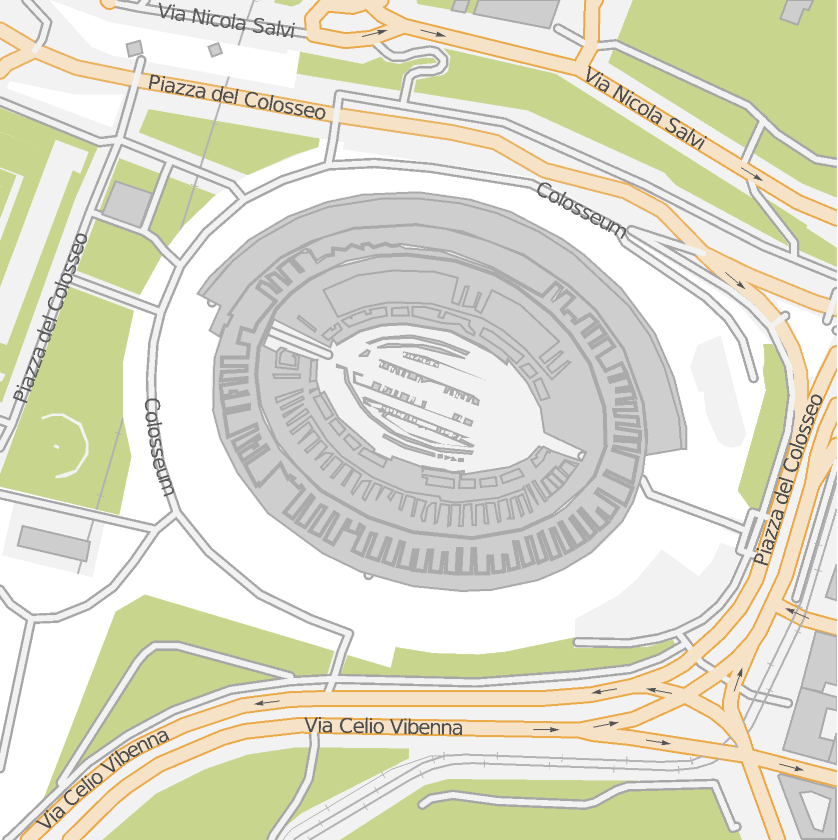 |
| In[2]:= | ![ResourceFunction["GeoGraphicsCases"][gr]](https://www.wolframcloud.com/obj/resourcesystem/images/b60/b606ffc8-c576-4b8e-81f0-6edadd36c457/2e0bc871c34672fa.png) |
| Out[2]= |  |
Show only the "landcover" elements:
| In[3]:= | ![ResourceFunction["GeoGraphicsCases"][gr, {__, "landcover"}]](https://www.wolframcloud.com/obj/resourcesystem/images/b60/b606ffc8-c576-4b8e-81f0-6edadd36c457/23755b41586344bd.png) |
| Out[3]= |  |
Show land cover and the buildings:
| In[4]:= | ![ResourceFunction[
"GeoGraphicsCases"][gr, {{__, "landcover"}, {_, "building", _}}]](https://www.wolframcloud.com/obj/resourcesystem/images/b60/b606ffc8-c576-4b8e-81f0-6edadd36c457/51563ffc27eb9522.png) |
| Out[4]= | 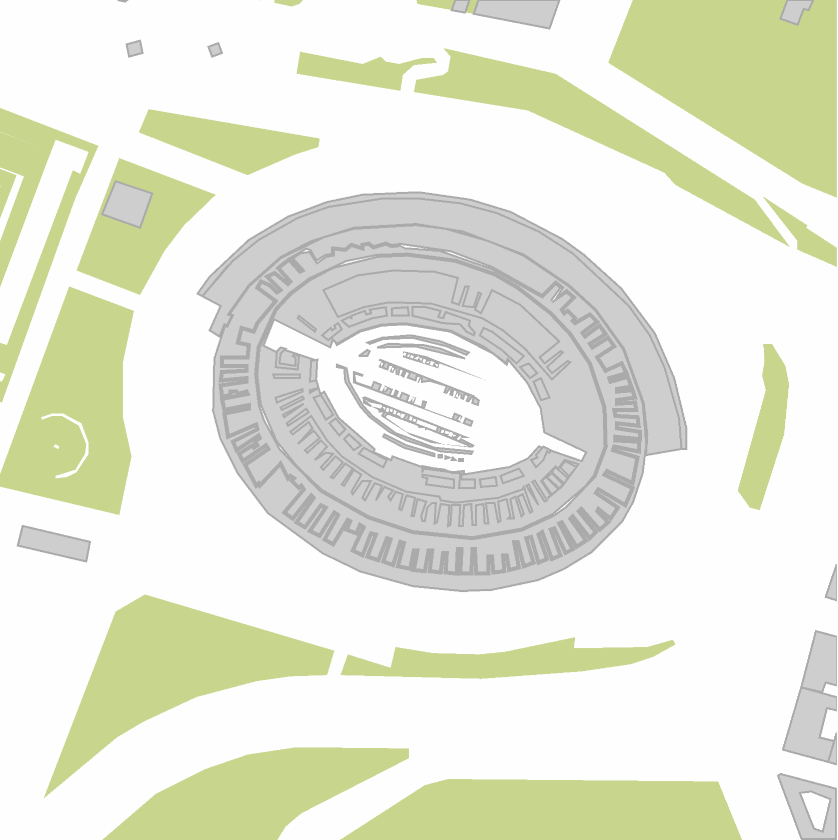 |
Wrapping the pattern or list of patterns with Except, removes those features and returns all others:
| In[5]:= | ![gr = GeoGraphics[Entity["Building", "OCristoRedentor::fp39c"], GeoRange -> Quantity[1, "Kilometers"]]](https://www.wolframcloud.com/obj/resourcesystem/images/b60/b606ffc8-c576-4b8e-81f0-6edadd36c457/7ae2a58d7ce9db83.png) |
| Out[5]= | 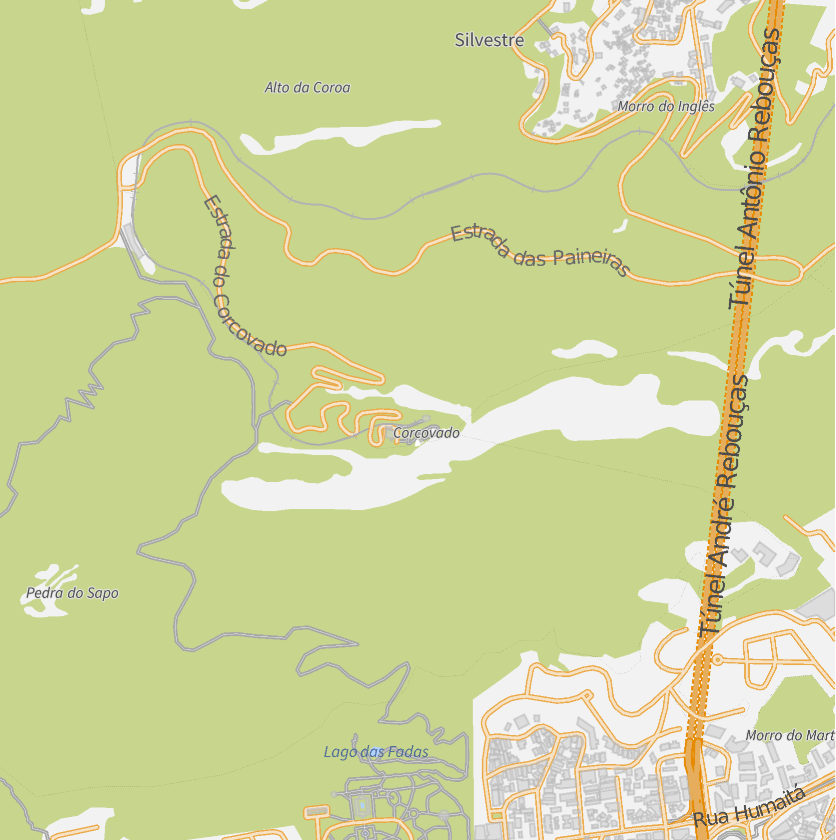 |
| In[6]:= | ![ResourceFunction["GeoGraphicsCases"][gr, Except[{"fill", __}]]](https://www.wolframcloud.com/obj/resourcesystem/images/b60/b606ffc8-c576-4b8e-81f0-6edadd36c457/4d8d0abe2f178e80.png) |
| Out[6]= | 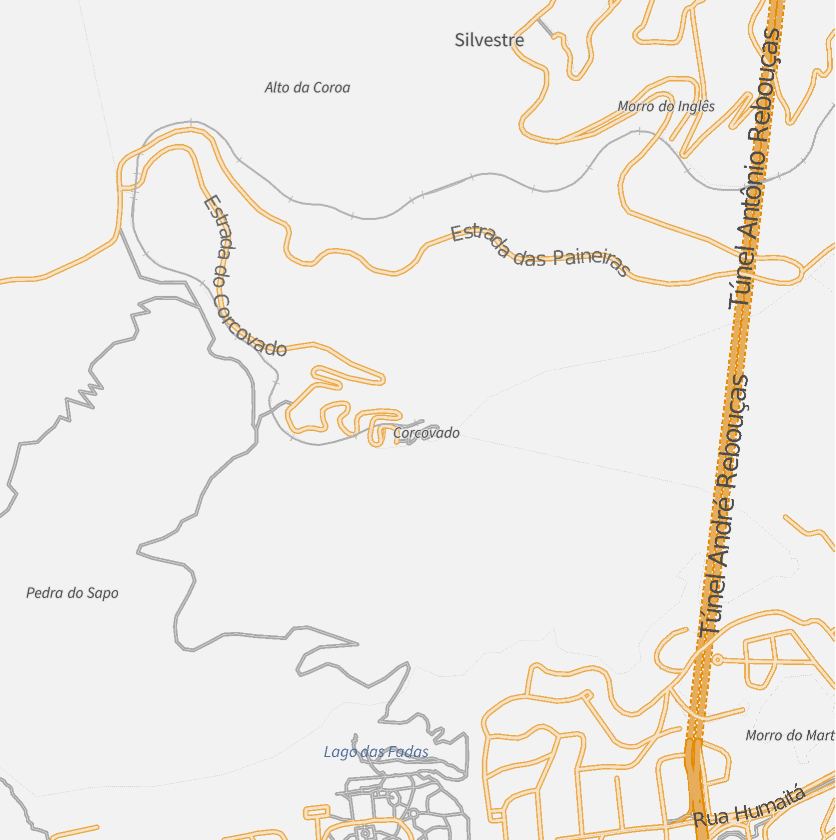 |
Remove labels:
| In[7]:= | ![ResourceFunction["GeoGraphicsCases"][gr, Except[{"symbol", __}]]](https://www.wolframcloud.com/obj/resourcesystem/images/b60/b606ffc8-c576-4b8e-81f0-6edadd36c457/17dee7204d51b982.png) |
| Out[7]= | 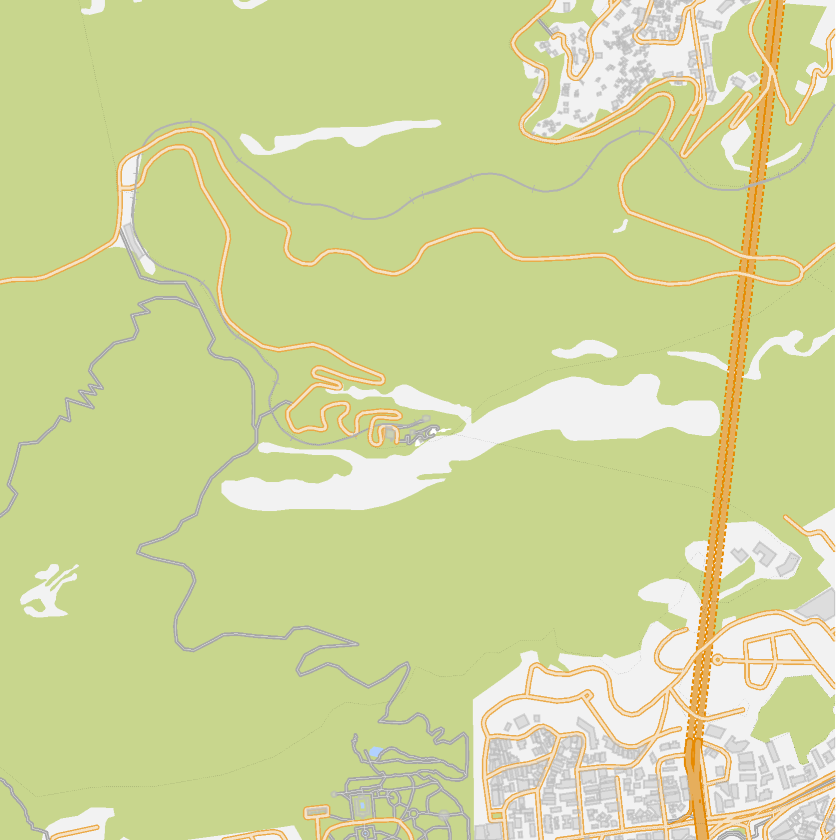 |
Remove filled regions and labels:
| In[8]:= | ![ResourceFunction["GeoGraphicsCases"][gr, Except[{{"fill", __}, {_, "building", _}}]]](https://www.wolframcloud.com/obj/resourcesystem/images/b60/b606ffc8-c576-4b8e-81f0-6edadd36c457/592578fa7342bd3f.png) |
| Out[8]= | 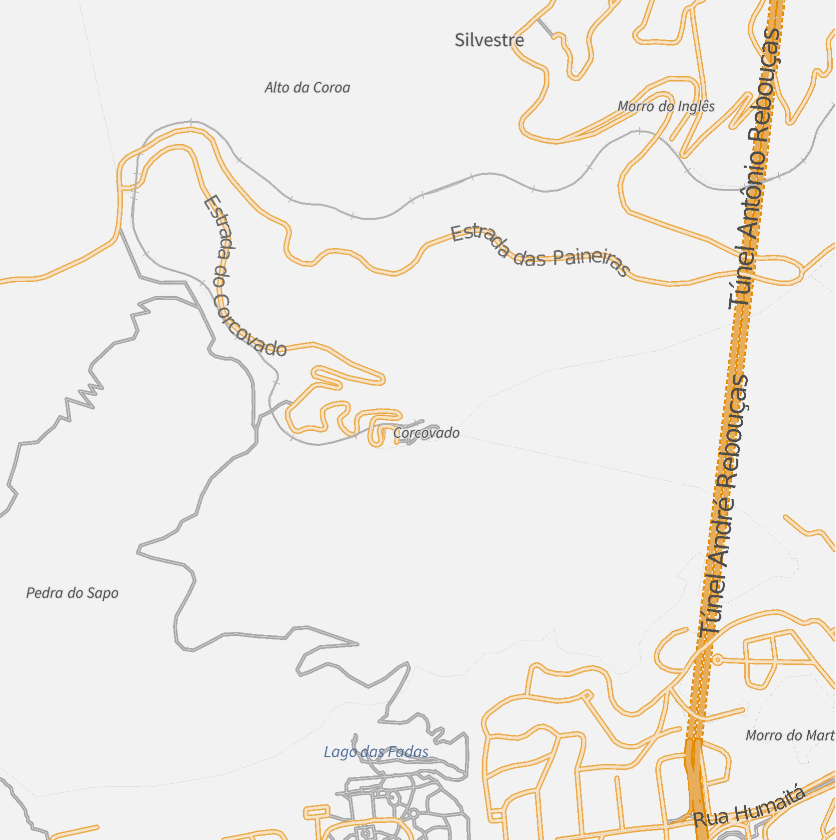 |
Some GeoGraphics also contain textured backgrounds. For example, selecting the transportation network for the UK also displays a landtype bitmap background:
| In[9]:= | ![uk = GeoGraphics[Entity["Country", "UnitedKingdom"], GeoZoomLevel -> 7];](https://www.wolframcloud.com/obj/resourcesystem/images/b60/b606ffc8-c576-4b8e-81f0-6edadd36c457/09d279e80dcc3b68.png) |
| In[10]:= | ![ResourceFunction["GeoGraphicsCases"][uk, {__, "transportation"}]](https://www.wolframcloud.com/obj/resourcesystem/images/b60/b606ffc8-c576-4b8e-81f0-6edadd36c457/3dd87d3c890f1561.png) |
| Out[10]= | 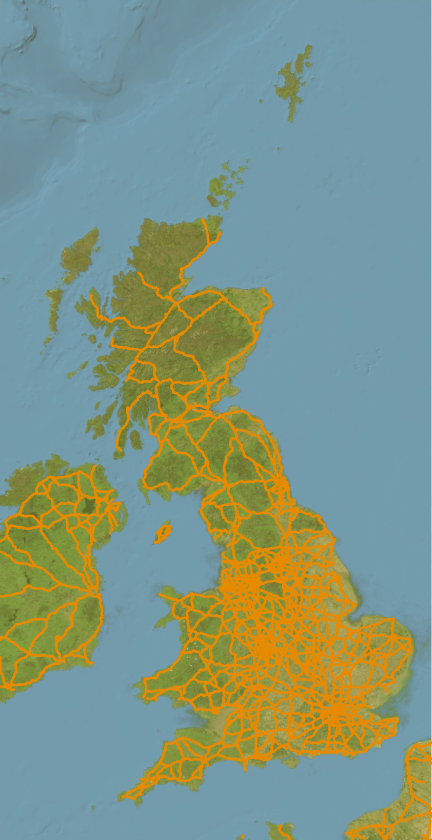 |
The option "RemoveTextures" can be used to remove bitmap textured polygons:
| In[11]:= | ![ResourceFunction["GeoGraphicsCases"][uk, {__, "transportation"}, "RemoveTextures" -> True]](https://www.wolframcloud.com/obj/resourcesystem/images/b60/b606ffc8-c576-4b8e-81f0-6edadd36c457/3ce58f160355190c.png) |
| Out[11]= | 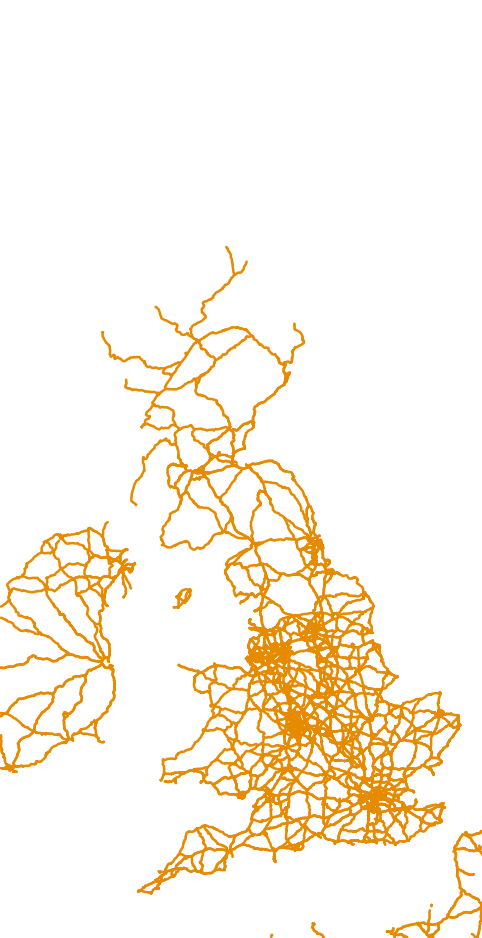 |
GeoGraphicsCases works only on GeoGraphics with vector backgrounds:
| In[12]:= | ![ResourceFunction["GeoGraphicsCases"][
GeoGraphics[Entity["Building", "Colosseum::pq39x"], GeoRange -> Quantity[500, "Feet"], GeoBackground -> "Satellite"]]](https://www.wolframcloud.com/obj/resourcesystem/images/b60/b606ffc8-c576-4b8e-81f0-6edadd36c457/40c062c455d0d507.png) |
| Out[12]= |  |
Sometimes GeoGraphics elements are only visible because they are expected to have contrasting elements behind them:
| In[13]:= | ![ResourceFunction["GeoGraphicsCases"][
GeoGraphics[Entity["Building", "Colosseum::pq39x"], GeoRange -> Quantity[500, "Feet"]], {_, "path_area_cycleway", "transportation"}]](https://www.wolframcloud.com/obj/resourcesystem/images/b60/b606ffc8-c576-4b8e-81f0-6edadd36c457/00920918ac19cb3d.png) |
| Out[13]= |  |
You may need to replace colors to make them visible:
| In[14]:= | ![ResourceFunction["GeoGraphicsCases"][
GeoGraphics[Entity["Building", "Colosseum::pq39x"], GeoRange -> Quantity[500, "Feet"]], {_, "path_area_cycleway", "transportation"}] /. RGBColor[1., 1., 1.] -> Gray](https://www.wolframcloud.com/obj/resourcesystem/images/b60/b606ffc8-c576-4b8e-81f0-6edadd36c457/79a701ddbadda091.png) |
| Out[14]= |  |
Create an interactive feature selector:
| In[15]:= | ![gr = GeoGraphics[Entity["Building", "Colosseum::pq39x"], GeoRange -> Quantity[500, "Feet"], ImageSize -> 400];
With[{choices = ResourceFunction["GeoGraphicsCases"][gr]},
DynamicModule[{select = choices},
Grid[{{Dynamic[ResourceFunction["GeoGraphicsCases"][gr, select]], CheckboxBar[Dynamic[select], choices, Appearance -> "Vertical"]}}]
]
]](https://www.wolframcloud.com/obj/resourcesystem/images/b60/b606ffc8-c576-4b8e-81f0-6edadd36c457/230e6c4b50ea7cec.png) |
| Out[9]= | 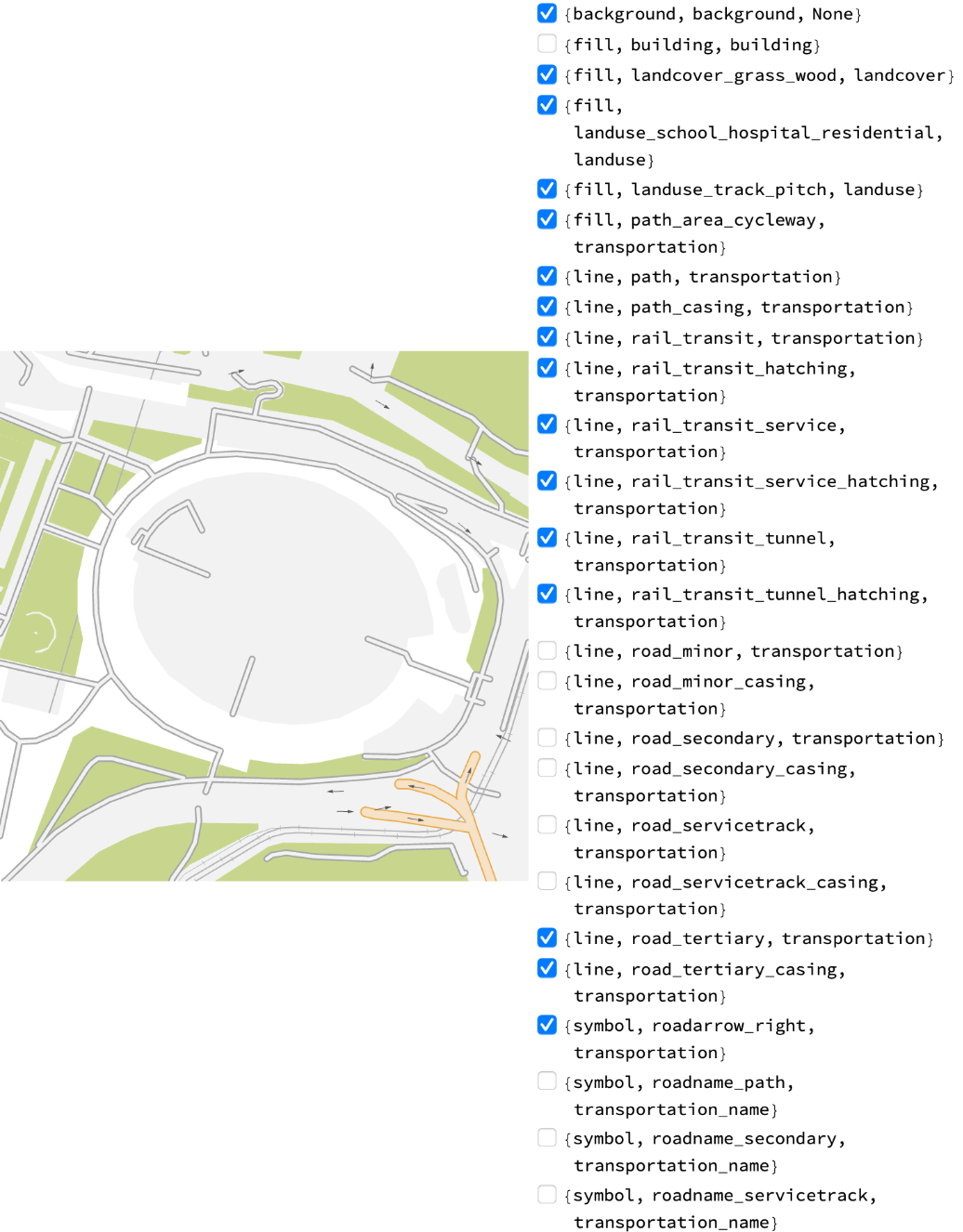 |
Decompose a map into features:
| In[16]:= | ![GraphicsGrid[
Partition[
Rasterize[
ResourceFunction["GeoGraphicsCases"][gr, #] /. RGBColor[1., 1., 1.] -> Gray] & /@ ResourceFunction["GeoGraphicsCases"][gr], 6, 6, 1, ""]]](https://www.wolframcloud.com/obj/resourcesystem/images/b60/b606ffc8-c576-4b8e-81f0-6edadd36c457/214b3db4f931da44.png) |
| Out[16]= | 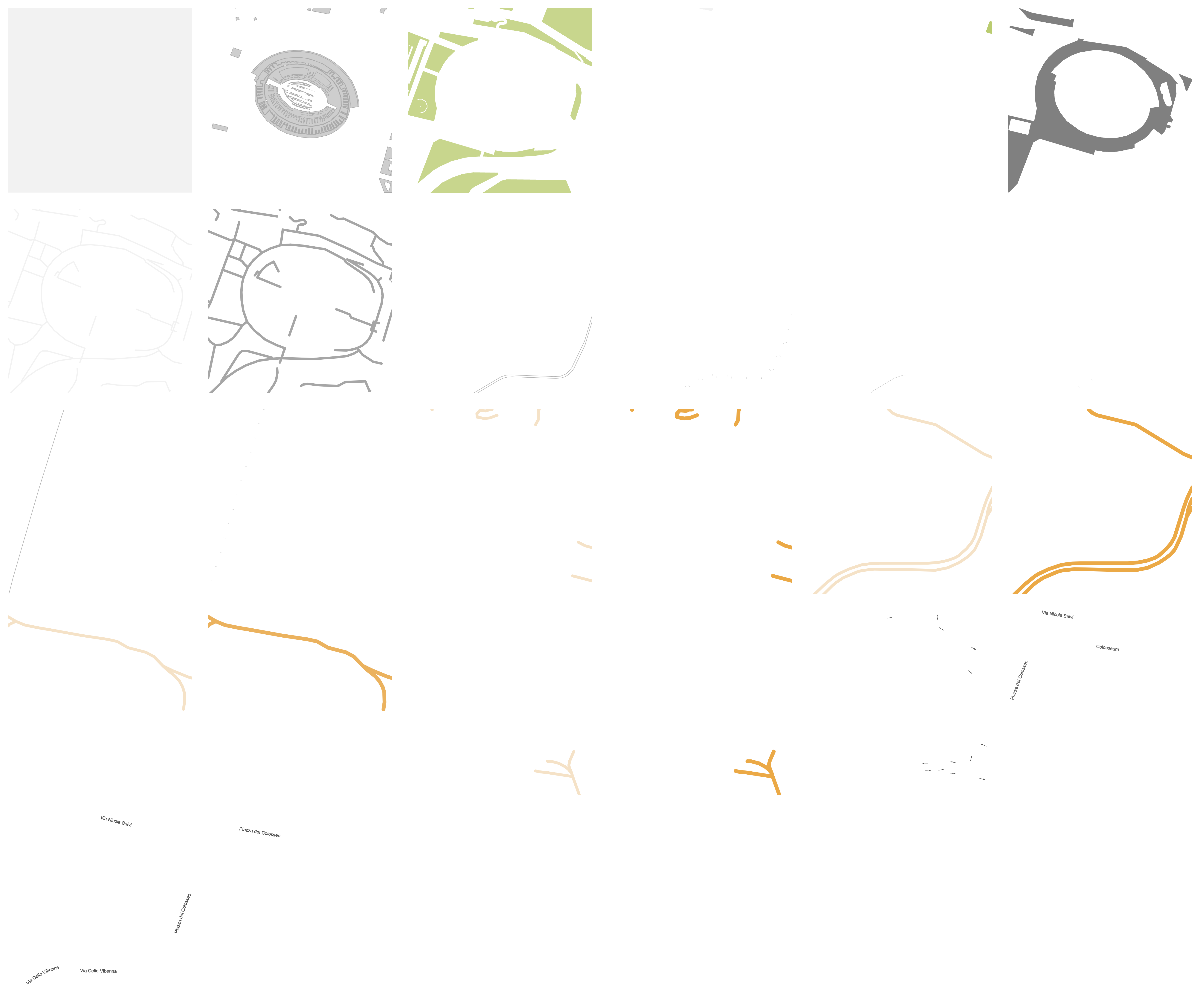 |
This work is licensed under a Creative Commons Attribution 4.0 International License