Wolfram Function Repository
Instant-use add-on functions for the Wolfram Language
Function Repository Resource:
Choose styles for specific elements of GeoGraphics
ResourceFunction["GeoGraphicsRestyle"][gr,type→style] restyles GeoGraphics gr so that elements with the annotation type are styled with style. | |
ResourceFunction["GeoGraphicsRestyle"][gr, {type1 →style1, type2→style2,…] restyles multiple elements of GeoGraphics gr. |
Restyle a map of the Colosseum with buildings colored red:
| In[1]:= | ![gr = GeoGraphics[Entity["Building", "Colosseum::pq39x"], GeoRange -> Quantity[500, "Feet"]];
ResourceFunction["GeoGraphicsRestyle"][gr,
{"fill", "building", "building"} -> Red
]](https://www.wolframcloud.com/obj/resourcesystem/images/86b/86b226ee-5976-447e-8bf5-a87c39c22ca1/21935a4ce6bb8053.png) |
| Out[2]= | 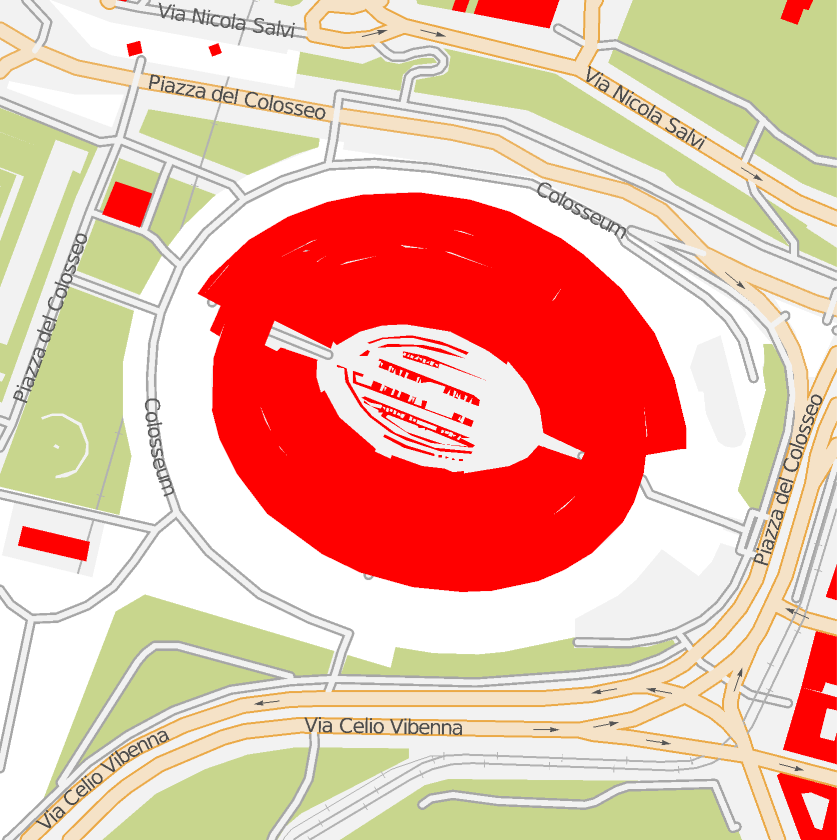 |
Restyle both the buildings and the grass:
| In[3]:= | ![ResourceFunction["GeoGraphicsRestyle"][gr,
{
{"fill", "building", "building"} -> DarkYellow,
{"fill", "landcover_grass_wood", "landcover"} -> DarkGreen
}
]](https://www.wolframcloud.com/obj/resourcesystem/images/86b/86b226ee-5976-447e-8bf5-a87c39c22ca1/66f801edaa23f83b.png) |
| Out[3]= | 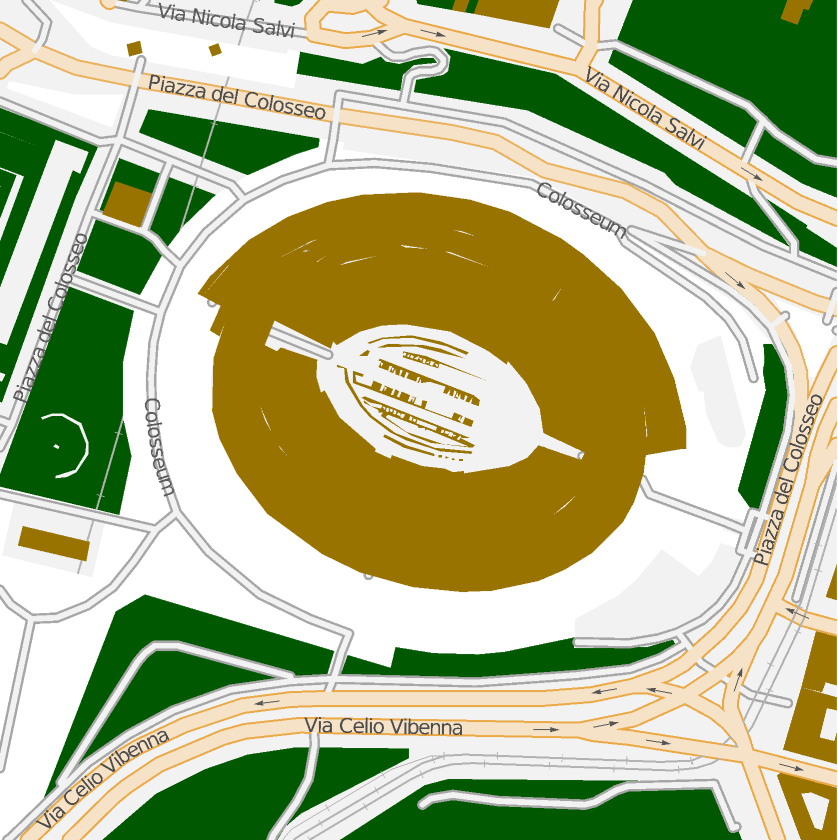 |
Use ResourceFunction["GeoGraphicsCases"] to discover the available list of annotation types:
| In[4]:= | ![ResourceFunction["GeoGraphicsCases"][gr]](https://www.wolframcloud.com/obj/resourcesystem/images/86b/86b226ee-5976-447e-8bf5-a87c39c22ca1/67bebd0f9c9904dc.png) |
| Out[4]= |  |
You can specify collections of graphics styles:
| In[5]:= | ![gr = GeoGraphics[Entity["Building", "Colosseum::pq39x"], GeoRange -> Quantity[500, "Feet"]];
ResourceFunction["GeoGraphicsRestyle"][gr,
{"fill", "building", "building"} -> {EdgeForm[{Thick, Dashed, Yellow}],
Black}
]](https://www.wolframcloud.com/obj/resourcesystem/images/86b/86b226ee-5976-447e-8bf5-a87c39c22ca1/2d4b84f37a17729c.png) |
| Out[6]= | 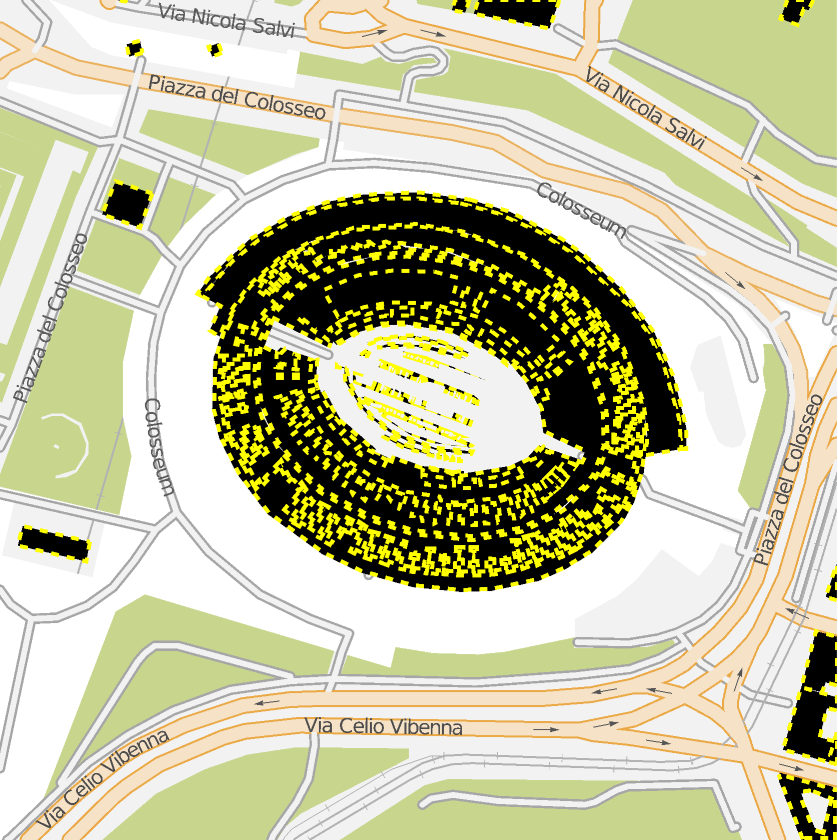 |
Textures can be used for polygon elements:
| In[7]:= | ![ResourceFunction["GeoGraphicsRestyle"][gr,
{
{"fill", "building", "building"} -> Texture[ExampleData[{"ColorTexture", "YellowMarble"}]],
{"fill", "landcover_grass_wood", "landcover"} -> Texture[ImageRecolor[ExampleData[{"Texture", "Grass"}], White -> Green]]
}
]](https://www.wolframcloud.com/obj/resourcesystem/images/86b/86b226ee-5976-447e-8bf5-a87c39c22ca1/4d25663629414936.png) |
| Out[7]= | 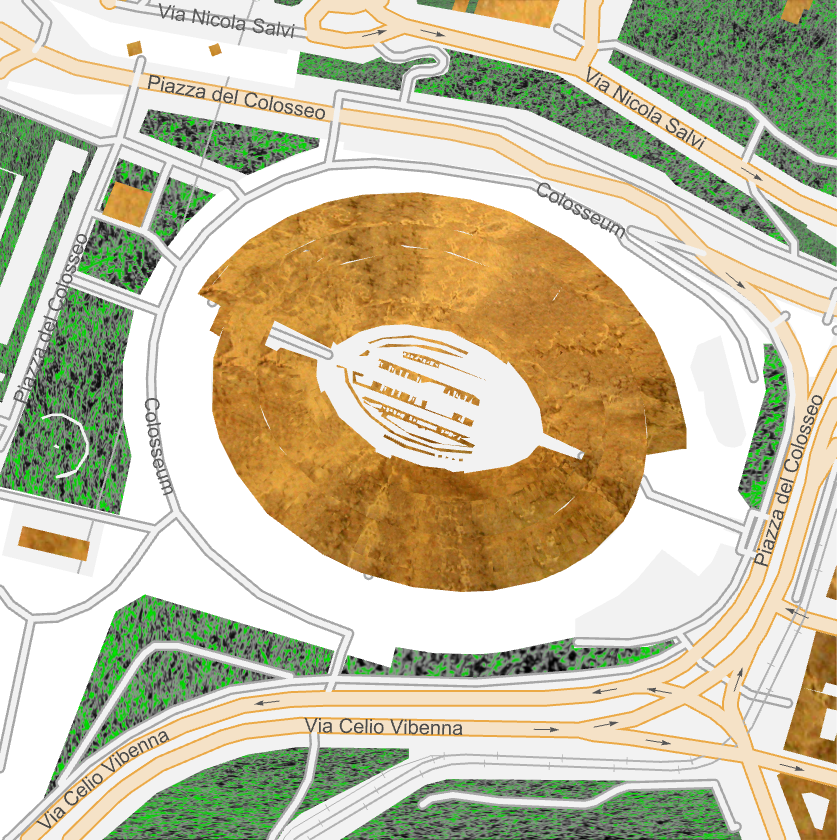 |
GeoGraphicsRestyle does not support bitmap GeoBackround types:
| In[8]:= | ![gr = GeoGraphics[Entity["Building", "Colosseum::pq39x"], GeoRange -> Quantity[500, "Feet"], GeoBackground -> "Satellite"];
ResourceFunction["GeoGraphicsRestyle"][gr,
{"fill", "building", "building"} -> Red
]](https://www.wolframcloud.com/obj/resourcesystem/images/86b/86b226ee-5976-447e-8bf5-a87c39c22ca1/263f5c64e7cbe492.png) |
| Out[9]= | 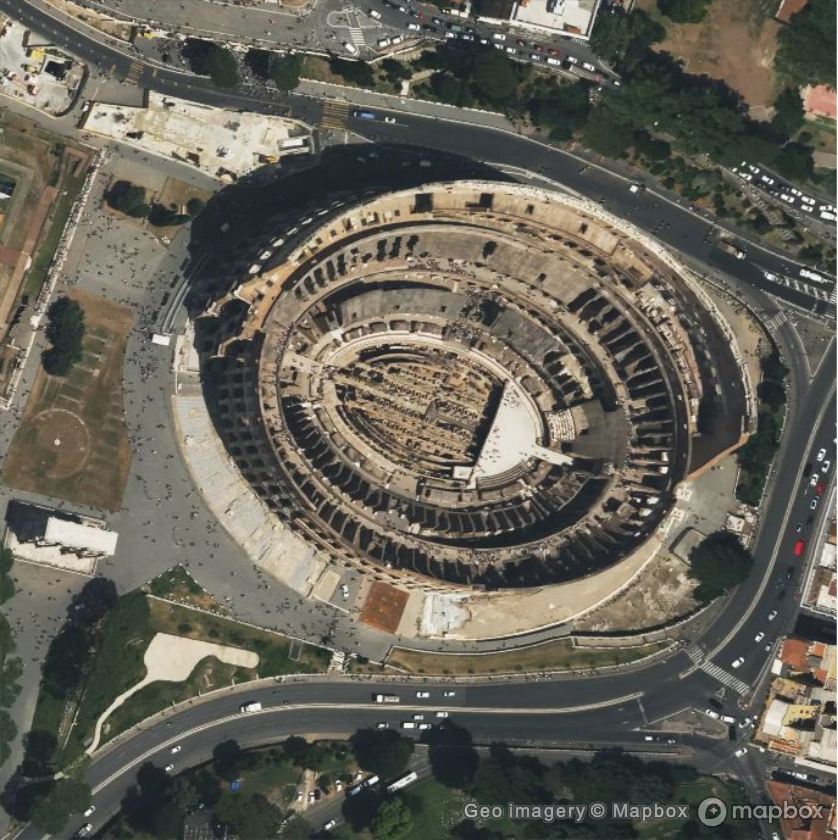 |
Highlight the cycle routes in Central Park:
| In[10]:= | ![gr = GeoGraphics[=[Central Park, NY], GeoRange -> Quantity[0.4, "Miles"]];
Legended[ResourceFunction["GeoGraphicsRestyle"][gr,
{
{"line", "path_cycleway", "transportation"} -> Yellow,
{"line", "path_cycleway_bridge", "transportation"} -> Yellow, {"line", "path_cycleway_bridge_casing", "transportation"} -> Yellow, {"line", "path_cycleway_casing", "transportation"} -> Yellow
}], SwatchLegend[{Yellow}, {"Cycle routes"}]]](https://www.wolframcloud.com/obj/resourcesystem/images/86b/86b226ee-5976-447e-8bf5-a87c39c22ca1/766952d5925ab78b.png) |
| Out[11]= | 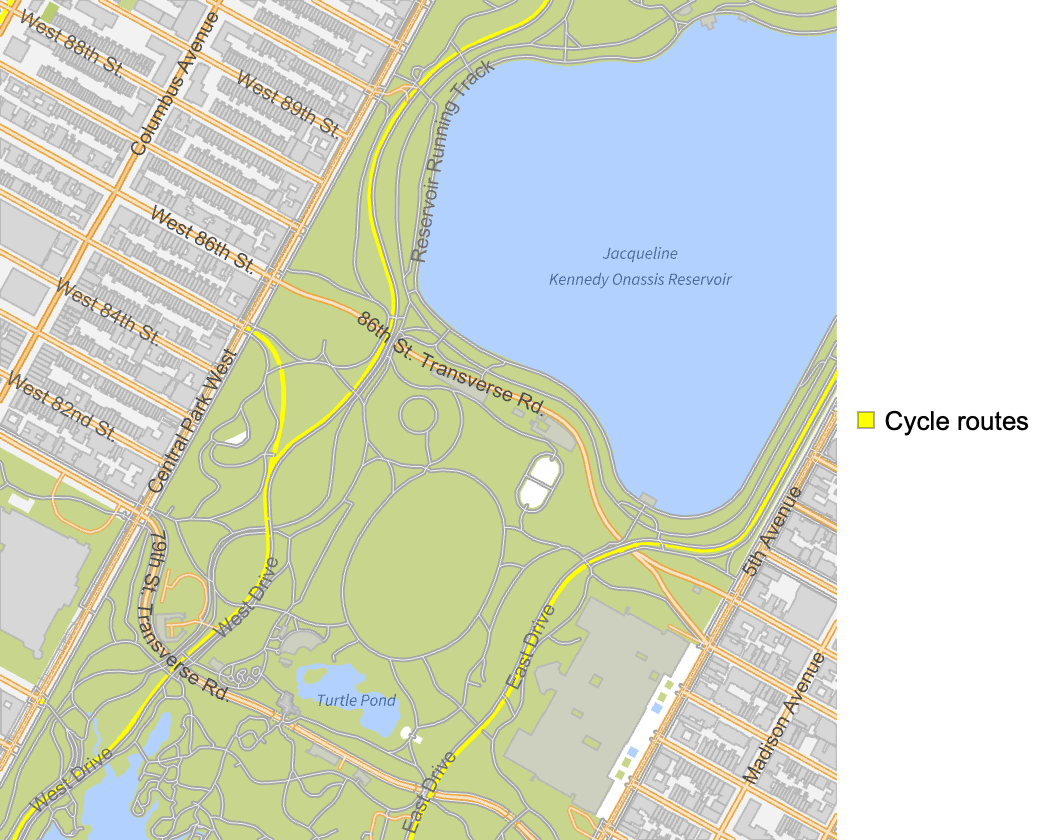 |
This work is licensed under a Creative Commons Attribution 4.0 International License