Basic Examples (1)
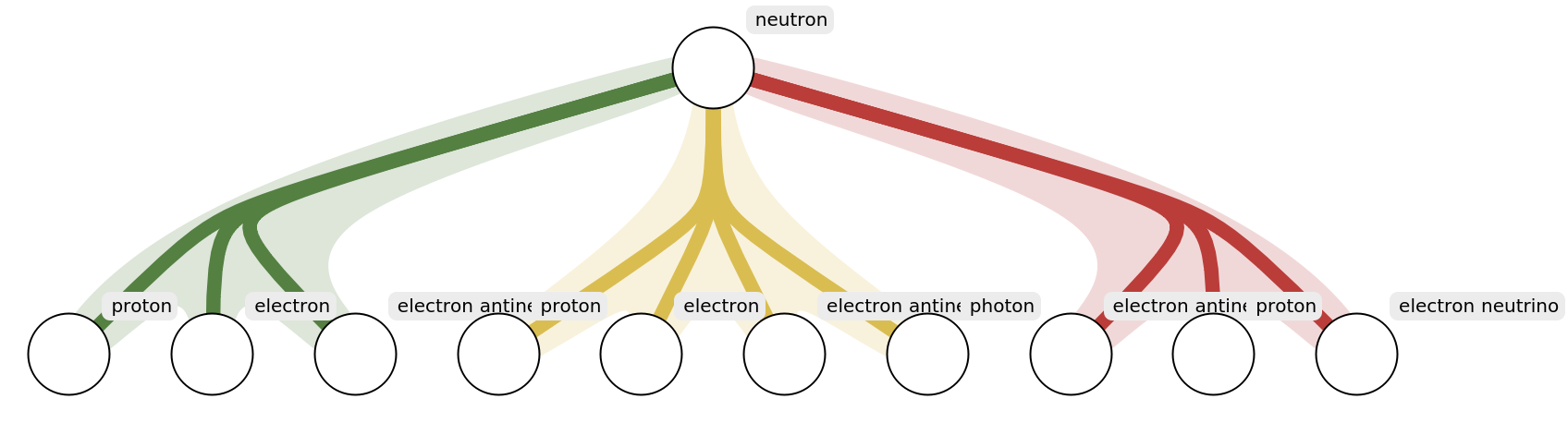
Find all possible decays of a neutron:
Scope (2)
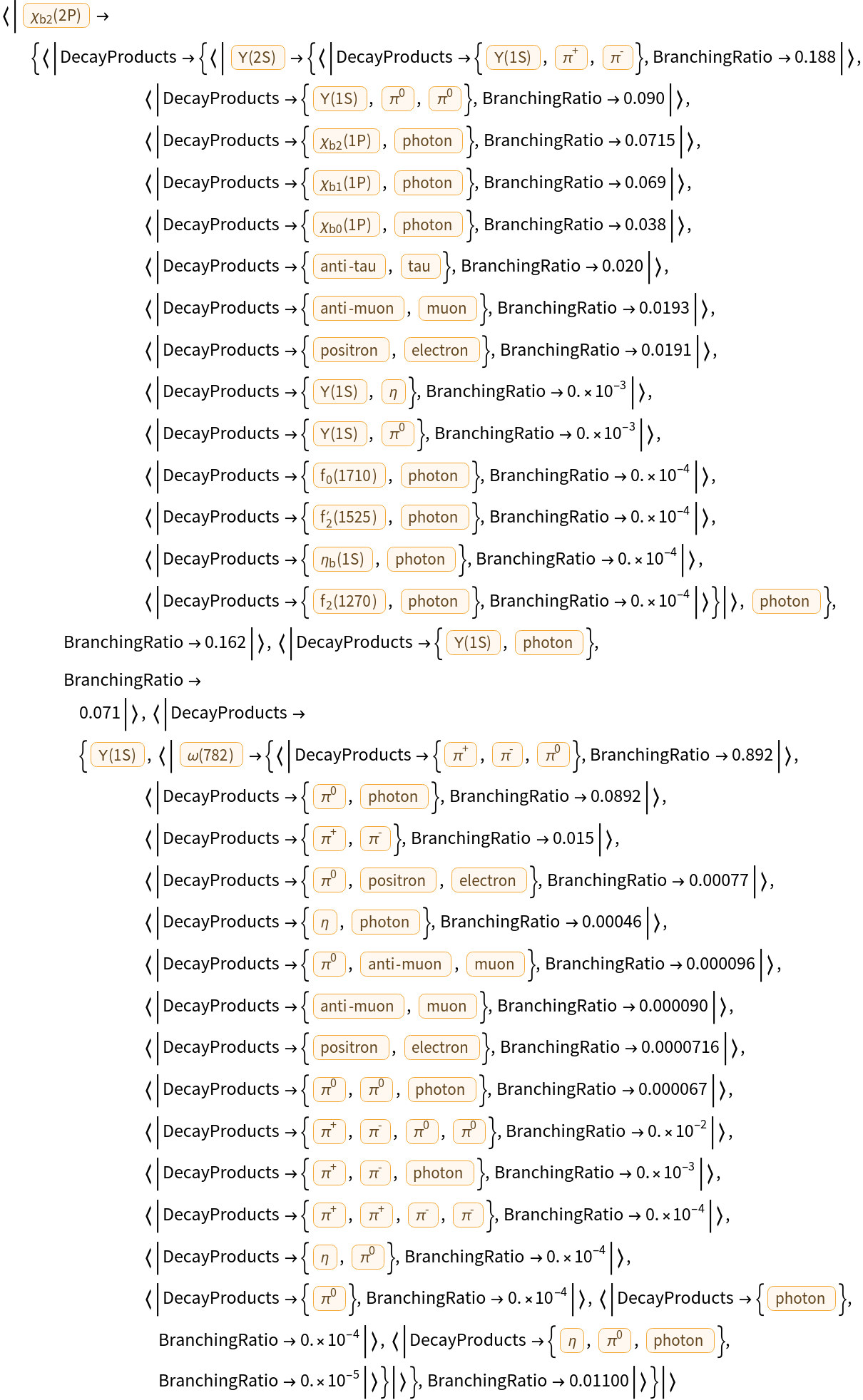
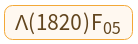
Find the decay chain of a more obscure particle:
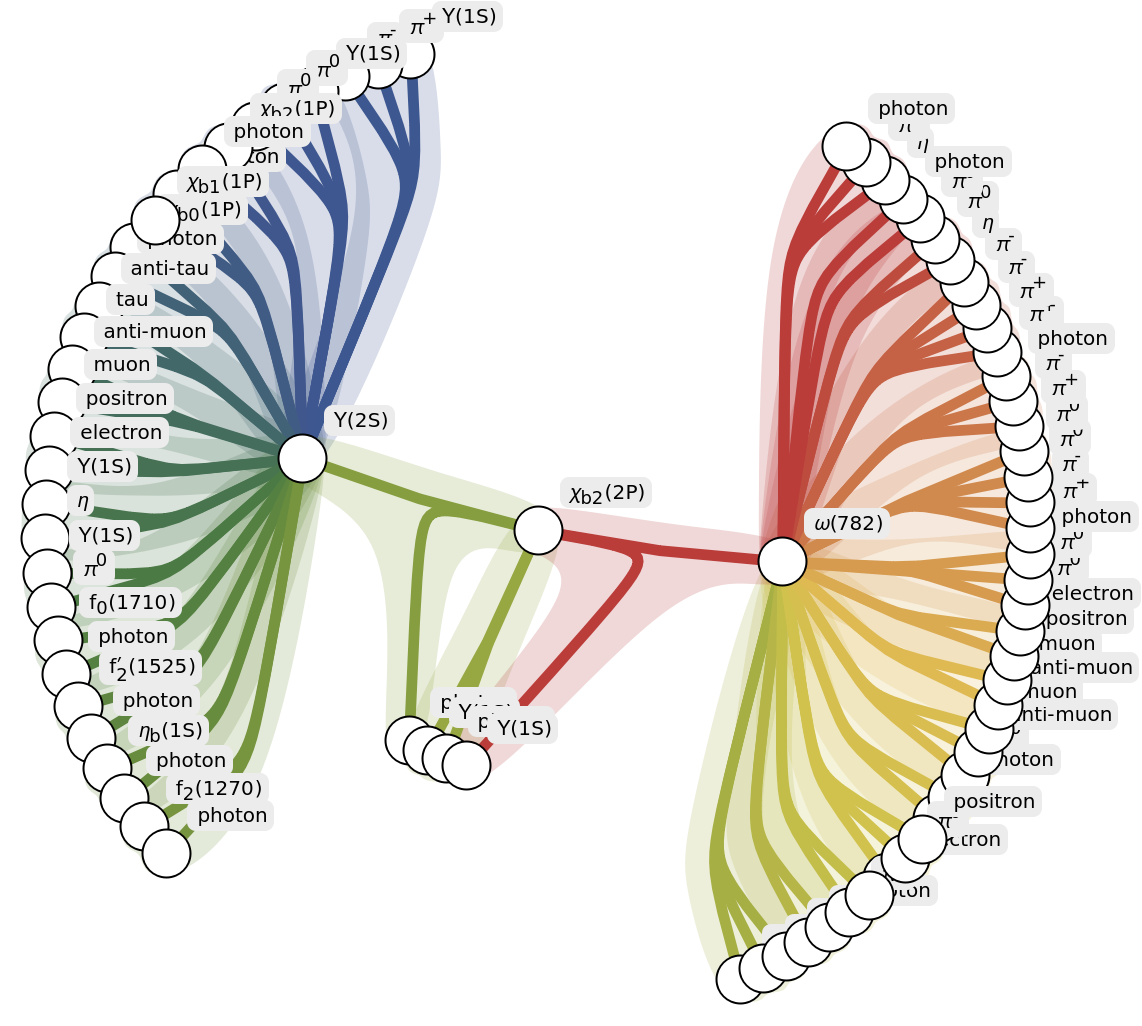
Visualize as a hypergraph:
Options (4)
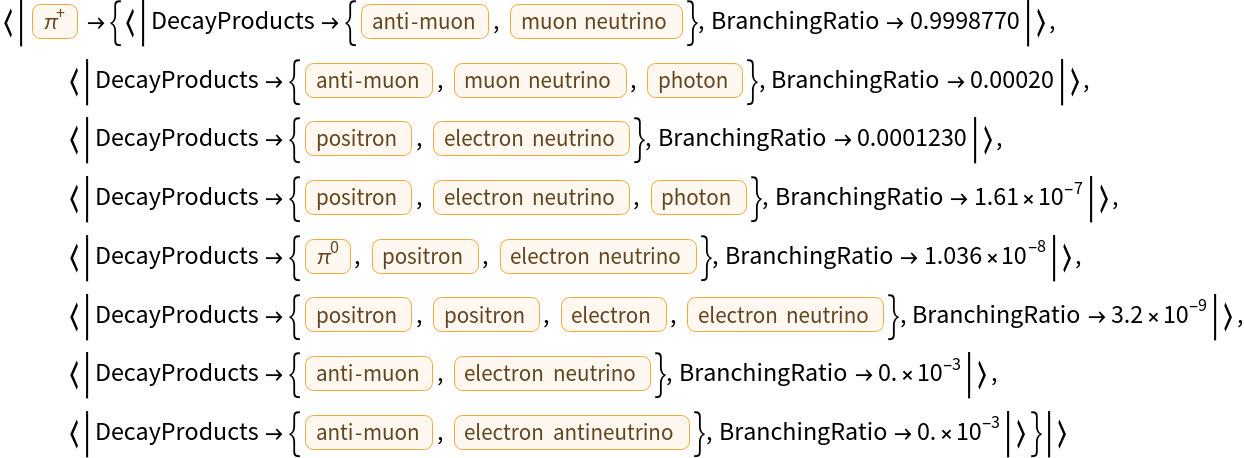
Choose a custom number of decay steps:
Neglect the decay modes that have a very low probability:
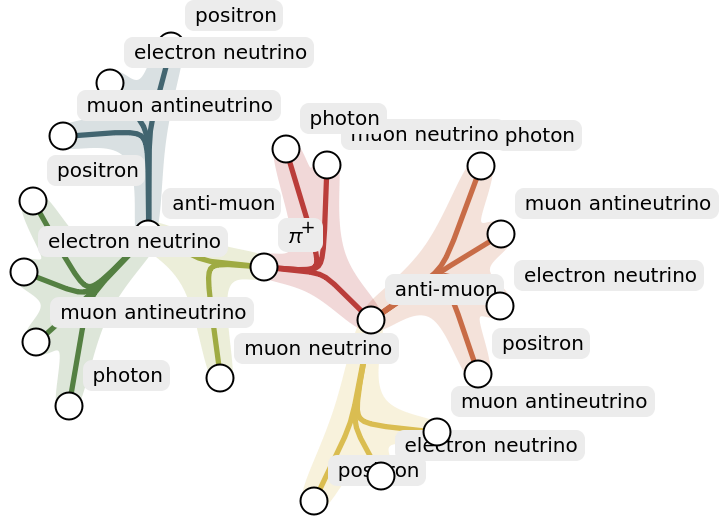
Or, retain only a specific number of decay modes for each particle (these will be in reverse order of branching ratio by default):
Use the same options when visualizing as a hypergraph. For the default number of decay steps (two), each particle has only their two highest-probability decays:
Use custom options for the hypergraph layout:
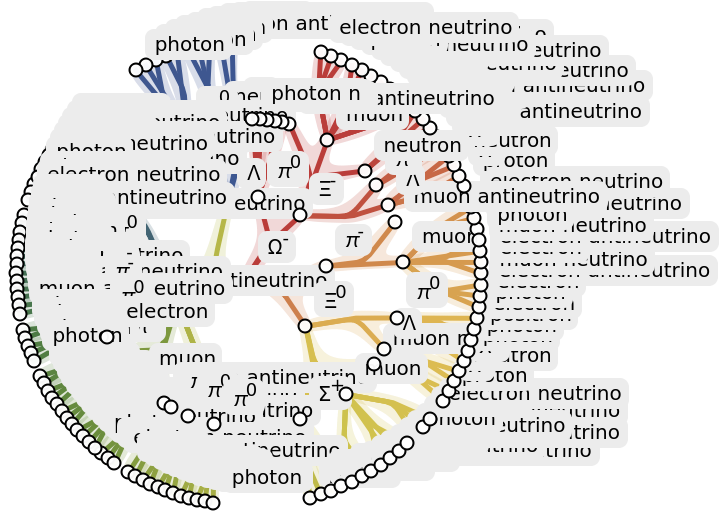
Use more than the default number of decay steps:
Possible Issues (8)
Some particles have unknown or missing decay modes, which returns the root particle only:
Some particles have known possible decay modes, but they are not observed. This also returns the root particle only:
If the value of "MaximumDecayModes" exceeds the actual number of decay modes, all decay modes are retained:
If the value of "MinimumBranchingRatio" is in the uncertainty range of a branching ratio, then the branching ratio is not considered 'less than' it. The FullForm of the branching ratio shows us the Accuracy to which the branching ratio is known:
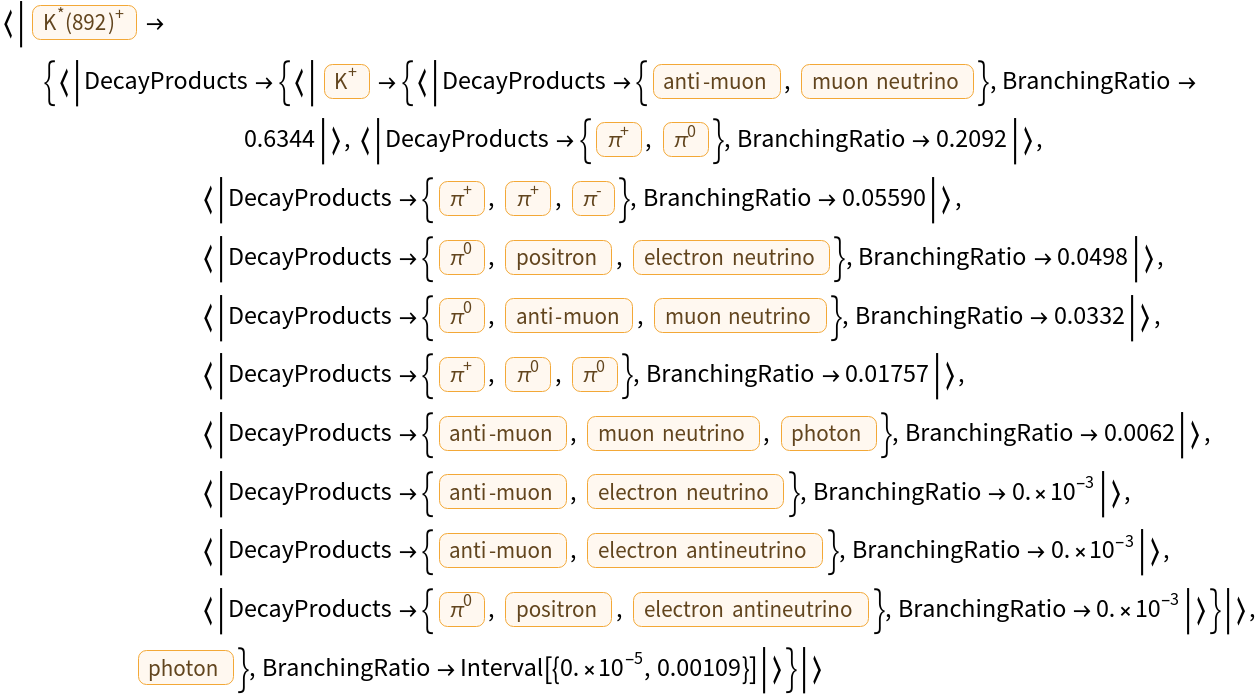
Similarly, if the branching ratio is given as an Interval and the upper bound exceeds the value of "MinimumBranchingRatio" then it is retained:
Particles with no decay products return an empty hypergraph:
The VertexLabels option is used by default for particle names, however it can be overridden with None:
The input must be a valid Entity contained within EntityList["Particle"]:
Neat Examples (2)
Find where a given decay chain terminates by increasing "DecaySteps":
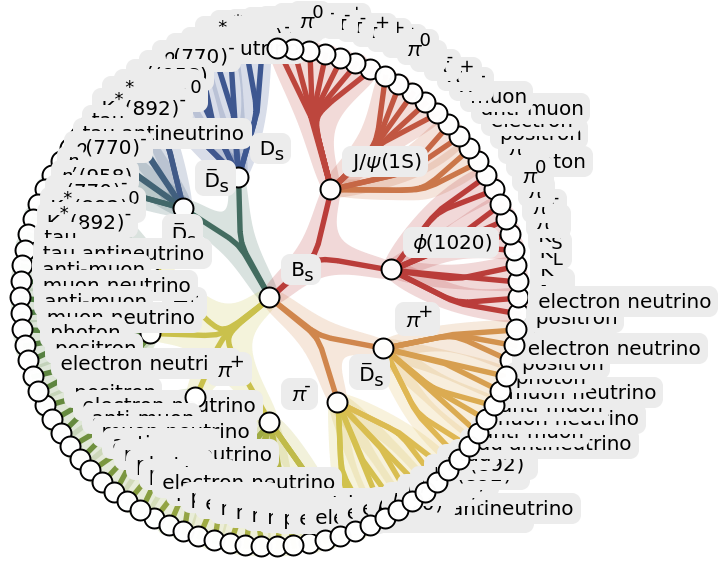
Explore the interesting decays of the Strange B meson:
![ResourceFunction["ParticleDecayChain"][Entity["Particle", "Neutron"]]](https://www.wolframcloud.com/obj/resourcesystem/images/ba2/ba24411c-5fce-472d-95d3-2ab21d654e95/52520c1097511e86.png)

![ResourceFunction["ParticleDecayChain"][
Entity["Particle", {"ChiB2Meson2P", 0}]]](https://www.wolframcloud.com/obj/resourcesystem/images/ba2/ba24411c-5fce-472d-95d3-2ab21d654e95/5054dc65916614f8.png)
![ResourceFunction["ParticleDecayChain"][
Entity["Particle", {"ChiB2Meson2P", 0}], "Hypergraph"]](https://www.wolframcloud.com/obj/resourcesystem/images/ba2/ba24411c-5fce-472d-95d3-2ab21d654e95/05a0360a92658d1a.png)
![ResourceFunction["ParticleDecayChain"][Entity["Particle", "PiPlus"], "DecaySteps" -> 1]](https://www.wolframcloud.com/obj/resourcesystem/images/ba2/ba24411c-5fce-472d-95d3-2ab21d654e95/4b35dcca9ff86080.png)
![ResourceFunction["ParticleDecayChain"][Entity["Particle", "PiPlus"], "DecaySteps" -> 1, "MinimumBranchingRatio" -> 0.01]](https://www.wolframcloud.com/obj/resourcesystem/images/ba2/ba24411c-5fce-472d-95d3-2ab21d654e95/18427a36e1d65d17.png)

![ResourceFunction["ParticleDecayChain"][Entity["Particle", "PiPlus"], "DecaySteps" -> 1, "MaximumDecayModes" -> 2]](https://www.wolframcloud.com/obj/resourcesystem/images/ba2/ba24411c-5fce-472d-95d3-2ab21d654e95/36fcc0f62d5ab8b6.png)

![ResourceFunction["ParticleDecayChain"][
Entity["Particle", "PiPlus"], "Hypergraph", "MaximumDecayModes" -> 2]](https://www.wolframcloud.com/obj/resourcesystem/images/ba2/ba24411c-5fce-472d-95d3-2ab21d654e95/5a4c5ebb1476f979.png)
![ResourceFunction["ParticleDecayChain"][
Entity["Particle", "Neutron"], "Hypergraph", "BaseLayout" -> "LayeredEmbedding", "SubsetBoundaryScale" -> 0.5]](https://www.wolframcloud.com/obj/resourcesystem/images/ba2/ba24411c-5fce-472d-95d3-2ab21d654e95/414f71bd1a2e4ab1.png)
![ResourceFunction["ParticleDecayChain"][
Entity["Particle", "Omega"], "Hypergraph", "MinimumBranchingRatio" -> 0.01, "DecaySteps" -> 3]](https://www.wolframcloud.com/obj/resourcesystem/images/ba2/ba24411c-5fce-472d-95d3-2ab21d654e95/1860236435029e06.png)
![Entity["Particle", {"Lambda1820F05", 0}]["DecayModes"]](https://www.wolframcloud.com/obj/resourcesystem/images/ba2/ba24411c-5fce-472d-95d3-2ab21d654e95/126a0bab9111f844.png)

![ResourceFunction["ParticleDecayChain"][
Entity["Particle", {"Lambda1820F05", 0}]]](https://www.wolframcloud.com/obj/resourcesystem/images/ba2/ba24411c-5fce-472d-95d3-2ab21d654e95/4af4544c975c73ef.png)
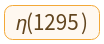
![Entity["Particle", {"EtaMeson1295", 0}]["DecayModes"]](https://www.wolframcloud.com/obj/resourcesystem/images/ba2/ba24411c-5fce-472d-95d3-2ab21d654e95/2c5a57badb9be564.png)

![ResourceFunction["ParticleDecayChain"][
Entity["Particle", {"EtaMeson1295", 0}]]](https://www.wolframcloud.com/obj/resourcesystem/images/ba2/ba24411c-5fce-472d-95d3-2ab21d654e95/3e4bbc6ad4f971cb.png)
![ResourceFunction["ParticleDecayChain"][Entity["Particle", "Neutron"], "MaximumDecayModes" -> 5]](https://www.wolframcloud.com/obj/resourcesystem/images/ba2/ba24411c-5fce-472d-95d3-2ab21d654e95/15d543434abff91b.png)

![uncertainChain = ResourceFunction["ParticleDecayChain"][Entity["Particle", "Neutron"],
"MinimumBranchingRatio" -> 0.001]](https://www.wolframcloud.com/obj/resourcesystem/images/ba2/ba24411c-5fce-472d-95d3-2ab21d654e95/575c7de49293e49a.png)

![FullForm[
Last[uncertainChain[Entity["Particle", "Neutron"]]]["BranchingRatio"]]](https://www.wolframcloud.com/obj/resourcesystem/images/ba2/ba24411c-5fce-472d-95d3-2ab21d654e95/5911b5488c17fc5c.png)

![ResourceFunction["ParticleDecayChain"][Entity["Particle", "KStarPlus"],
"MinimumBranchingRatio" -> 0.001]](https://www.wolframcloud.com/obj/resourcesystem/images/ba2/ba24411c-5fce-472d-95d3-2ab21d654e95/7230a318ab083aa7.png)
![Entity["Particle", {"Nucleon1710P11", 0}]["DecayModes"]](https://www.wolframcloud.com/obj/resourcesystem/images/ba2/ba24411c-5fce-472d-95d3-2ab21d654e95/7683216335967b97.png)

![ResourceFunction["ParticleDecayChain"][
Entity["Particle", {"Nucleon1710P11", 0}], "Hypergraph"]](https://www.wolframcloud.com/obj/resourcesystem/images/ba2/ba24411c-5fce-472d-95d3-2ab21d654e95/44412ae7114727ab.png)

![ResourceFunction["ParticleDecayChain"][
Entity["Particle", "Neutron"], "Hypergraph", "BaseLayout" -> "LayeredEmbedding", VertexLabels -> None]](https://www.wolframcloud.com/obj/resourcesystem/images/ba2/ba24411c-5fce-472d-95d3-2ab21d654e95/2abc2e0d38985c4f.png)

![ResourceFunction["ParticleDecayChain"]["neutron"]](https://www.wolframcloud.com/obj/resourcesystem/images/ba2/ba24411c-5fce-472d-95d3-2ab21d654e95/5d7f2bd569edabe6.png)
![ResourceFunction["ParticleDecayChain"][
Entity["Particle", "Omega"], "Hypergraph", "MaximumDecayModes" -> 1, "DecaySteps" -> 4, "BaseLayout" -> "LayeredEmbedding"]](https://www.wolframcloud.com/obj/resourcesystem/images/ba2/ba24411c-5fce-472d-95d3-2ab21d654e95/073697a0b18b99b1.png)
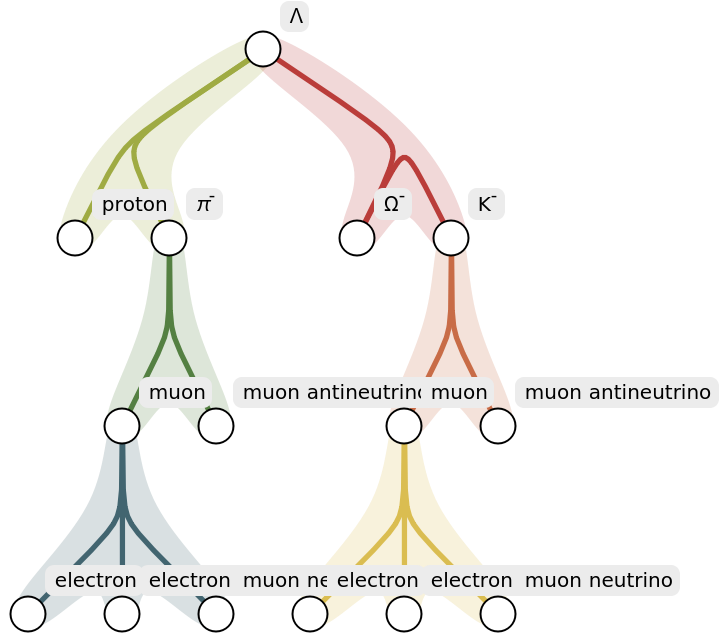
![ResourceFunction["ParticleDecayChain"][
Entity["Particle", {"BSMeson", 0}], "Hypergraph", "MaximumDecayModes" -> 4]](https://www.wolframcloud.com/obj/resourcesystem/images/ba2/ba24411c-5fce-472d-95d3-2ab21d654e95/29f0af59d91bd58f.png)