Wolfram Function Repository
Instant-use add-on functions for the Wolfram Language
Function Repository Resource:
Convert cells with graphics to bitmaps
ResourceFunction["RasterizeGraphicsCells"][] rasterizes every cell with graphics in the current notebook. | |
ResourceFunction["RasterizeGraphicsCells"][nb] rasterizes graphics cells in the specified notebook object. | |
ResourceFunction["RasterizeGraphicsCells"]["patt"] rasterizes graphics cells in notebooks returned by Notebooks["patt"]. | |
ResourceFunction["RasterizeGraphicsCells"][cell] rasterizes a CellObject or a list of CellObjects. |
Rasterize all the graphics in a notebook:
| In[1]:= | ![ResourceFunction["RasterizeGraphicsCells"][
NotebookOpen[FindFile["ExampleData/document.nb"]]]](https://www.wolframcloud.com/obj/resourcesystem/images/391/391e57df-80af-4848-99e2-2a5bf5810977/3c34e9da74cf1610.png) |
Now all the cells with graphics in the notebook are bitmap images:
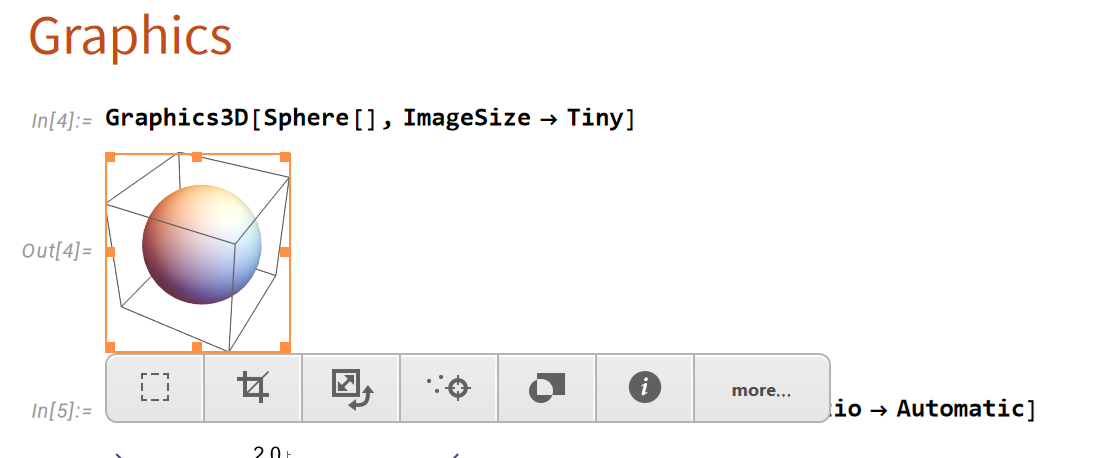
Rasterize all graphics in the current notebook:
| In[2]:= | ![ResourceFunction["RasterizeGraphicsCells"][]](https://www.wolframcloud.com/obj/resourcesystem/images/391/391e57df-80af-4848-99e2-2a5bf5810977/5b2da405fb43b2f0.png) |
Create a large output, then rasterize it:
| In[3]:= | ![Graph3D[RandomGraph[{2^10, 2^12}]]](https://www.wolframcloud.com/obj/resourcesystem/images/391/391e57df-80af-4848-99e2-2a5bf5810977/6f01c66554e5fc8c.png) |
| Out[3]= | 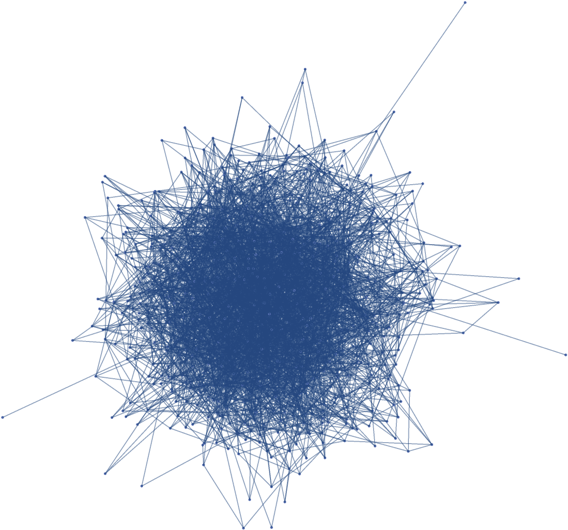 |
| In[4]:= | ![ResourceFunction["RasterizeGraphicsCells"][PreviousCell[]]](https://www.wolframcloud.com/obj/resourcesystem/images/391/391e57df-80af-4848-99e2-2a5bf5810977/2e277d9f80e7e29a.png) |
Create a notebook with huge graphic cells. This may take a couple minutes:
| In[5]:= | ![nb = CreateDocument[{
ExpressionCell[UnlabeledTree@RandomTree[2^12]],
ExpressionCell[RandomGraph[{2^12, 2^13}]],
ExpressionCell[Graph3D@RandomGraph[{2^12, 2^14}]]
}];](https://www.wolframcloud.com/obj/resourcesystem/images/391/391e57df-80af-4848-99e2-2a5bf5810977/6719a765c68dfa04.png) |
| In[6]:= | ![ByteCount[NotebookRead@Cells[nb]]](https://www.wolframcloud.com/obj/resourcesystem/images/391/391e57df-80af-4848-99e2-2a5bf5810977/48e569e7719caa21.png) |
| Out[6]= |  |
RasterizeGraphicsCells can save considerable space and improve rendering time:
| In[7]:= | ![ResourceFunction["RasterizeGraphicsCells"][nb];](https://www.wolframcloud.com/obj/resourcesystem/images/391/391e57df-80af-4848-99e2-2a5bf5810977/1a45c20de2aeccb1.png) |
| In[8]:= | ![ByteCount[NotebookRead@Cells[nb]]](https://www.wolframcloud.com/obj/resourcesystem/images/391/391e57df-80af-4848-99e2-2a5bf5810977/31601cbad89c296f.png) |
| Out[8]= |  |
This work is licensed under a Creative Commons Attribution 4.0 International License