Wolfram Function Repository
Instant-use add-on functions for the Wolfram Language
Function Repository Resource:
Print expressions to the messages window
ResourceFunction["PrintMessage"][expr] prints expression expr to the messages window. |
Print to the console:
| In[1]:= | ![ResourceFunction["PrintMessage"]@"This is a test"](https://www.wolframcloud.com/obj/resourcesystem/images/fbc/fbc62f16-8bb4-4812-9bef-3e763e1289de/286b49cd7464564c.png) |
| Out[1]= |  |
Print any expression:
| In[2]:= | ![ResourceFunction["PrintMessage"]@
Graphics3D[
Table[With[{p = {i, j, k}/5}, {RGBColor[p], Opacity[.75], Cuboid[p, p + .15]}], {i, 5}, {j, 5}, {k, 5}]]](https://www.wolframcloud.com/obj/resourcesystem/images/fbc/fbc62f16-8bb4-4812-9bef-3e763e1289de/398857a5628d798e.png) |
| Out[2]= | 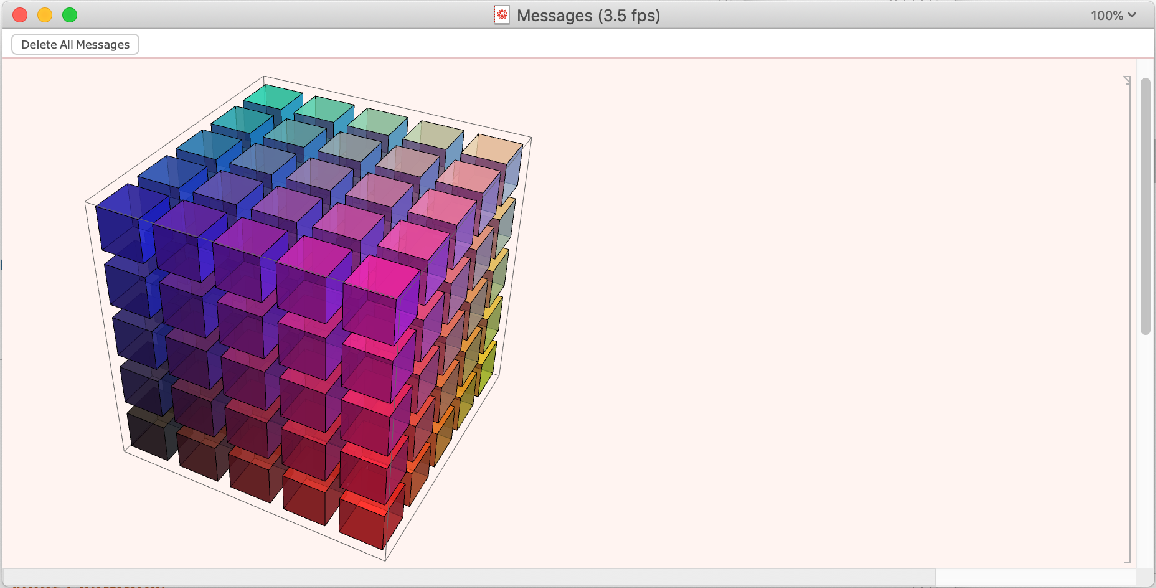 |
If the Messages window is not open, you can force it to appear:
| In[3]:= | ![ResourceFunction["PrintMessage"]["Read me!", Visible -> True]](https://www.wolframcloud.com/obj/resourcesystem/images/fbc/fbc62f16-8bb4-4812-9bef-3e763e1289de/3d58e535edb778c0.png) |
Wolfram Language 11.3 (March 2018) or above
This work is licensed under a Creative Commons Attribution 4.0 International License