Wolfram Function Repository
Instant-use add-on functions for the Wolfram Language
Function Repository Resource:
Quantify the color variation in an image
ResourceFunction["Colorfulness"][image] calculates the color variation in image. |
Determine colorfulness of an image:
| In[1]:= | ![(* Evaluate this cell to get the example input *) CloudGet["https://www.wolframcloud.com/obj/ac9b278c-89f6-48c0-b6cf-a28a9aa8c7f6"]](https://www.wolframcloud.com/obj/resourcesystem/images/f42/f424229c-e148-4916-a28f-e2cc96192387/3ea4ce2610b5bba6.png) |
| In[2]:= | ![ResourceFunction["Colorfulness"][img]](https://www.wolframcloud.com/obj/resourcesystem/images/f42/f424229c-e148-4916-a28f-e2cc96192387/0fbb4523f6e3782b.png) |
| Out[2]= |  |
Colorfulness varies with pixel intensities:
| In[3]:= | ![Grid[{ResourceFunction["Colorfulness"][#], #} & /@ {img, ImageAdjust[img, 1], ImageAdjust[img, {0, -0.5}]}]](https://www.wolframcloud.com/obj/resourcesystem/images/f42/f424229c-e148-4916-a28f-e2cc96192387/56648e4ec9f57c04.png) |
| Out[3]= | 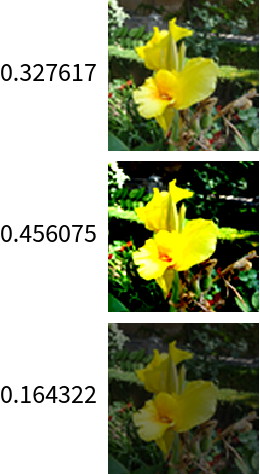 |
Sort graphics by colorfulness:
| In[4]:= | ![(* Evaluate this cell to get the example input *) CloudGet["https://www.wolframcloud.com/obj/07511dc6-ab3e-432b-9586-d56ae786a0fb"]](https://www.wolframcloud.com/obj/resourcesystem/images/f42/f424229c-e148-4916-a28f-e2cc96192387/3d6a474cd5c5ba0d.png) |
| In[5]:= | ![Grid[Sort[{ResourceFunction["Colorfulness"][#], #} & /@ graphicsList]]](https://www.wolframcloud.com/obj/resourcesystem/images/f42/f424229c-e148-4916-a28f-e2cc96192387/5ff7deacdfb81bbe.png) |
| Out[5]= | 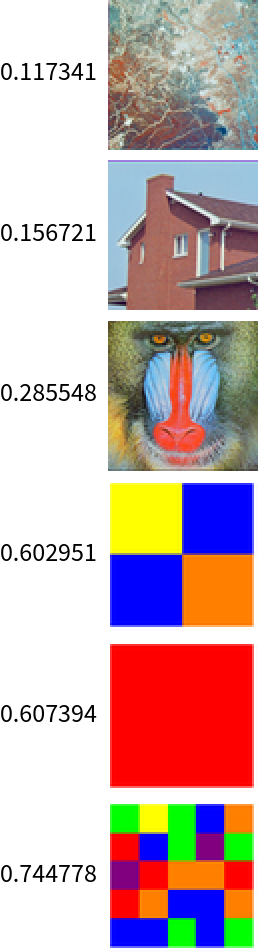 |
Black lacks visual interest:
| In[6]:= | ![gr = Graphics[{Black, Rectangle[]}]](https://www.wolframcloud.com/obj/resourcesystem/images/f42/f424229c-e148-4916-a28f-e2cc96192387/09f89bf130387505.png) |
| Out[6]= |  |
| In[7]:= | ![ResourceFunction["Colorfulness"][gr]](https://www.wolframcloud.com/obj/resourcesystem/images/f42/f424229c-e148-4916-a28f-e2cc96192387/1ca8125165b4e077.png) |
| Out[7]= |  |
Make an image of a plot:
| In[8]:= | ![gr = Rasterize@Plot[Sin[x], {x, 0, Pi}]](https://www.wolframcloud.com/obj/resourcesystem/images/f42/f424229c-e148-4916-a28f-e2cc96192387/604f2fe68b45bde9.png) |
| Out[8]= | 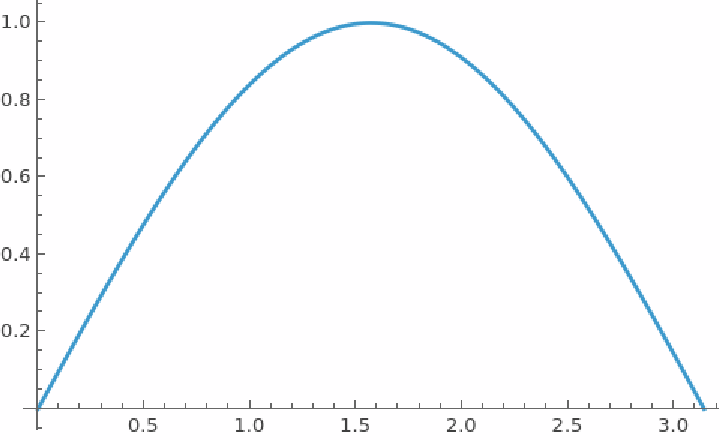 |
Compute the colorfulness (or lack thereof):
| In[9]:= | ![ResourceFunction["Colorfulness"][gr]](https://www.wolframcloud.com/obj/resourcesystem/images/f42/f424229c-e148-4916-a28f-e2cc96192387/401b395839929a59.png) |
| Out[9]= |  |
Rasterize a 3-D plot:
| In[10]:= | ![gr = Rasterize@Plot3D[Sin[x + y^2], {x, 0, Pi}, {y, 0, Pi}]](https://www.wolframcloud.com/obj/resourcesystem/images/f42/f424229c-e148-4916-a28f-e2cc96192387/433a751900322ddd.png) |
| Out[10]= | 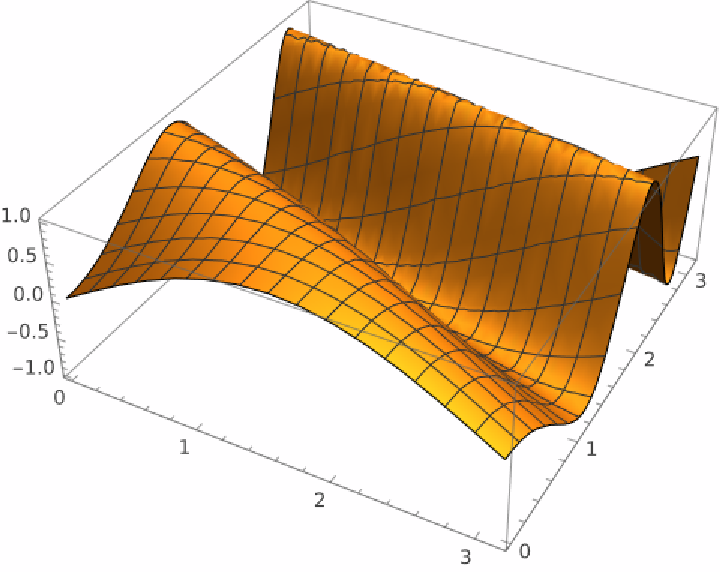 |
Calculate the colorfulness:
| In[11]:= | ![ResourceFunction["Colorfulness"][gr]](https://www.wolframcloud.com/obj/resourcesystem/images/f42/f424229c-e148-4916-a28f-e2cc96192387/338e5cad652986a9.png) |
| Out[11]= |  |
Colorful images of flower symmetry:
| In[12]:= | ![(* Evaluate this cell to get the example input *) CloudGet["https://www.wolframcloud.com/obj/2782b284-9697-45af-8257-fe0e296ff821"]](https://www.wolframcloud.com/obj/resourcesystem/images/f42/f424229c-e148-4916-a28f-e2cc96192387/16860f6a78cc146a.png) |
| In[13]:= | ![Grid[Sort[{ResourceFunction["Colorfulness"][#], Thumbnail[#, Tiny]} & /@ flowerImages]]](https://www.wolframcloud.com/obj/resourcesystem/images/f42/f424229c-e148-4916-a28f-e2cc96192387/34ab3422eb2e4b69.png) |
| Out[13]= | 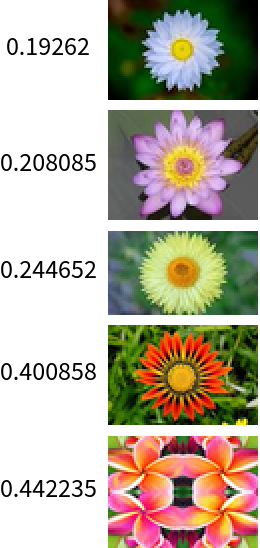 |
Colorful images of victorian wallpaper:
| In[14]:= | ![(* Evaluate this cell to get the example input *) CloudGet["https://www.wolframcloud.com/obj/693f4fed-3d63-4e9c-9fe4-392fff422d71"]](https://www.wolframcloud.com/obj/resourcesystem/images/f42/f424229c-e148-4916-a28f-e2cc96192387/1d83714a683baf38.png) |
| In[15]:= | ![Grid[Sort[{ResourceFunction["Colorfulness"][#], Thumbnail[#, Tiny]} & /@ wallpaperImages]]](https://www.wolframcloud.com/obj/resourcesystem/images/f42/f424229c-e148-4916-a28f-e2cc96192387/038b01b5685bbf7f.png) |
| Out[15]= | 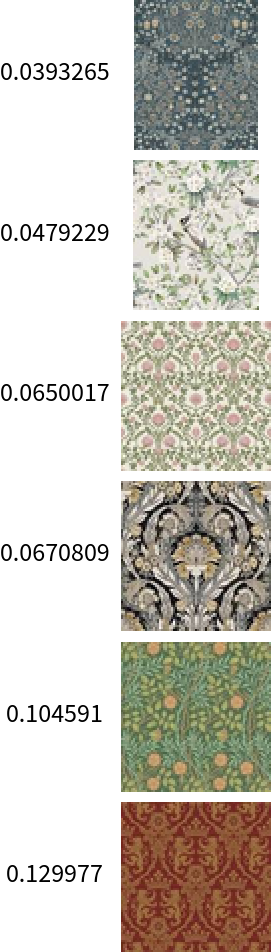 |
Wolfram Language 13.0 (December 2021) or above
This work is licensed under a Creative Commons Attribution 4.0 International License