Wolfram Function Repository
Instant-use add-on functions for the Wolfram Language
Function Repository Resource:
Authenticate users using authenticator apps
ResourceFunction["AuthenticatorAppVerify"]["New",{issuer,user}] generates a secret value for storage in an authenticator app. | |
ResourceFunction["AuthenticatorAppVerify"][code,secret] tests an authenticator app generated code against the stored secret. |
Create secret information to share with user "jonm" of our website "mywebsite":
| In[1]:= | ![data = ResourceFunction["AuthenticatorAppVerify"][
"New", {"mywebsite", "jonm"}]](https://www.wolframcloud.com/obj/resourcesystem/images/446/446f52de-c266-4546-b58b-34f72d5d1b6d/5677594a639f1f12.png) |
| Out[1]= | 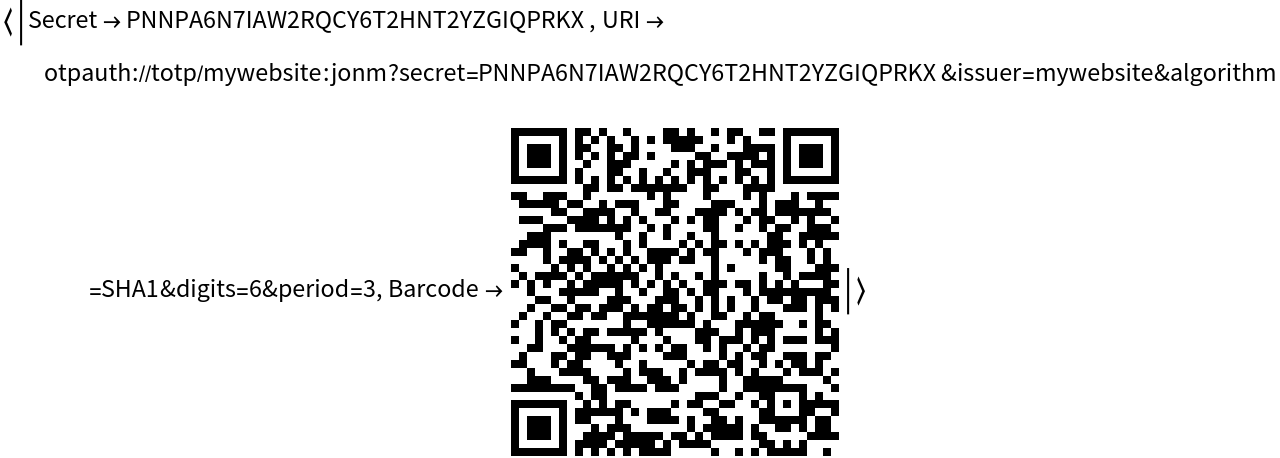 |
You can display the barcode and/or the URI to help the user to enter the secret into an authenticator app. When the barcode is scanned by the authenticator app. it will generate and display temporary six digit authentication codes. Enter a code from the authenticator app here:

Verify these codes against the secret:
| In[2]:= | ![ResourceFunction["AuthenticatorAppVerify"][generatedcode, data["Secret"]]](https://www.wolframcloud.com/obj/resourcesystem/images/446/446f52de-c266-4546-b58b-34f72d5d1b6d/2b896c39bc2fa563.png) |
| Out[2]= |  |
If the authentication code is incorrect or is more then 30 seconds old, the test returns False:
| In[3]:= | ![ResourceFunction["AuthenticatorAppVerify"]["123456", data["Secret"]]](https://www.wolframcloud.com/obj/resourcesystem/images/446/446f52de-c266-4546-b58b-34f72d5d1b6d/34c8be34d8aa4fbc.png) |
| Out[3]= |  |
The secret should be stored against the user's account information in your application, and should never be displayed again after initial creation.
A minimal interface that implements two-factor authentication:
| In[4]:= | ![CloudSymbol["DemoUserTable"] = {};
CloudDeploy[APIFunction[{}, Function[
With[
{storedSecret = FirstCase[
CloudSymbol["DemoUserTable"], {$RequesterWolframID, secret_} :>
secret]},
If[
MissingQ[storedSecret],
With[{secretValue = ResourceFunction["AuthenticatorAppVerify"][
"New", {"DemoApp", $RequesterWolframID}]},
CloudSymbol["DemoUserTable"] = Append[CloudSymbol["DemoUserTable"], {$RequesterWolframID, secretValue["Secret"]}];
Column[{Row[{"This is your first visit, to set up your Authenticator App, please follow this ", Hyperlink[" link »", secretValue["URI"]]}], "Or scan the barcode below:", secretValue["Barcode"], "Next time you visit this page, you will be asked to authenticate",
Hyperlink["Click here to reload page", "#"]}]
]
,
FormFunction[{"AuthenticatorCode" -> "String"},
Function[
If[
ResourceFunction["AuthenticatorAppVerify"][#AuthenticatorCode,
storedSecret],
Row[{"You are authenticated correctly as ", $RequesterWolframID}],
Row[{"You have failed to authenticate as ", $RequesterWolframID}]
]]]]
]
], "HTML"],
"DemoApp",
Permissions -> {"Authenticated" -> {"Read", "Execute"}}]](https://www.wolframcloud.com/obj/resourcesystem/images/446/446f52de-c266-4546-b58b-34f72d5d1b6d/0de8cd8774a86a15.png) |
| Out[5]= |  |
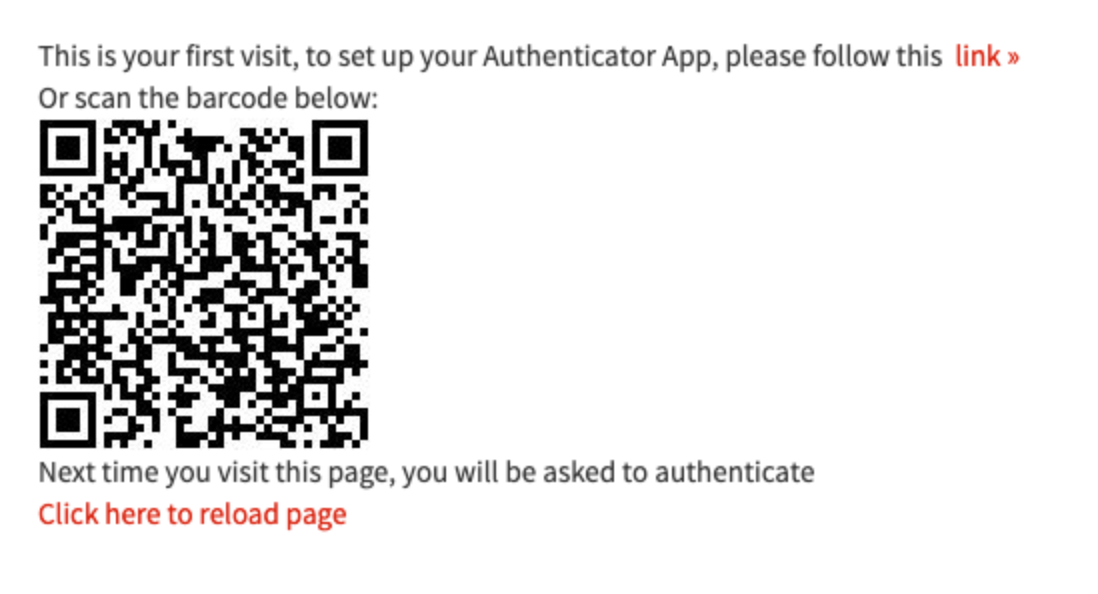
On first visit, the code is shared:
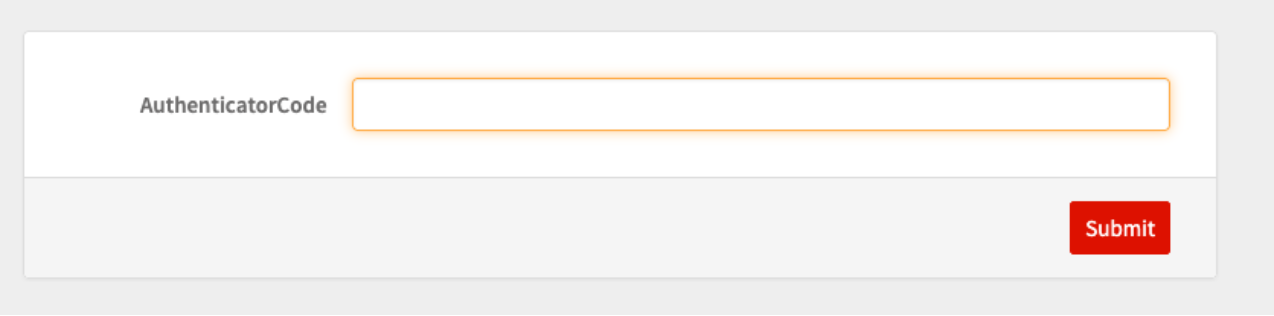
On second visit, you cannot proceed without an Authentication code:
This work is licensed under a Creative Commons Attribution 4.0 International License