Wolfram Function Repository
Instant-use add-on functions for the Wolfram Language
Function Repository Resource:
Add a toolbar for formatting function documentation to a notebook
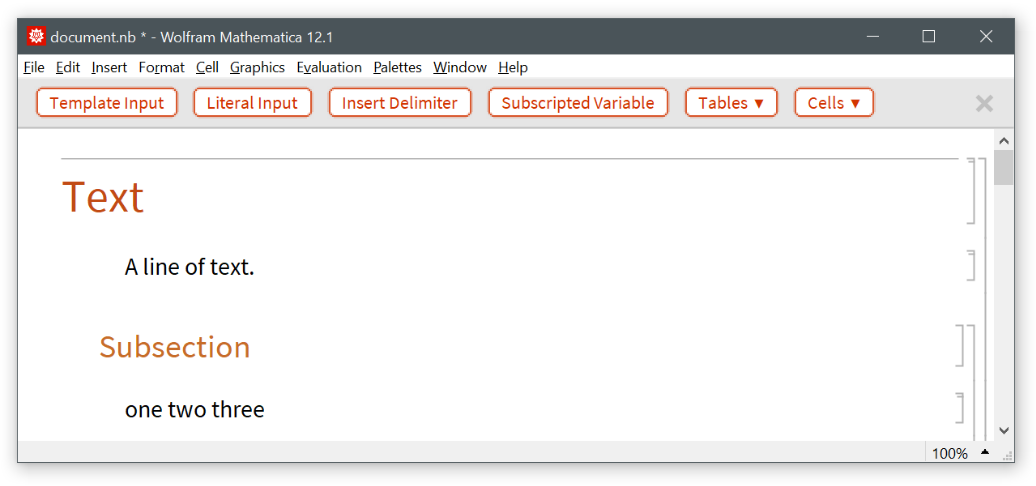
ResourceFunction["AddDocumentationTools"][] adds a documentation toolbar to the current InputNotebook. | |
ResourceFunction["AddDocumentationTools"][notebook] adds a documentation toolbar to the NotebookObject notebook. |

 button on the right side of the toolbar.
Add a documentation toolbar to a notebook:
| In[1]:= |
![nbo = NotebookOpen[FindFile["ExampleData/document.nb"]]](https://www.wolframcloud.com/obj/resourcesystem/images/638/638eb97f-2e99-4e85-aba1-5131e282c447/01d709cfebeb8a6a.png)
|
| Out[1]= |

|
| In[2]:= |
![ResourceFunction["AddDocumentationTools"][nbo]](https://www.wolframcloud.com/obj/resourcesystem/images/638/638eb97f-2e99-4e85-aba1-5131e282c447/7afbc4a1e5537ce6.png)
|
| In[3]:= |
![NotebookClose[nbo]](https://www.wolframcloud.com/obj/resourcesystem/images/638/638eb97f-2e99-4e85-aba1-5131e282c447/56a4fa1796d01807.png)
|
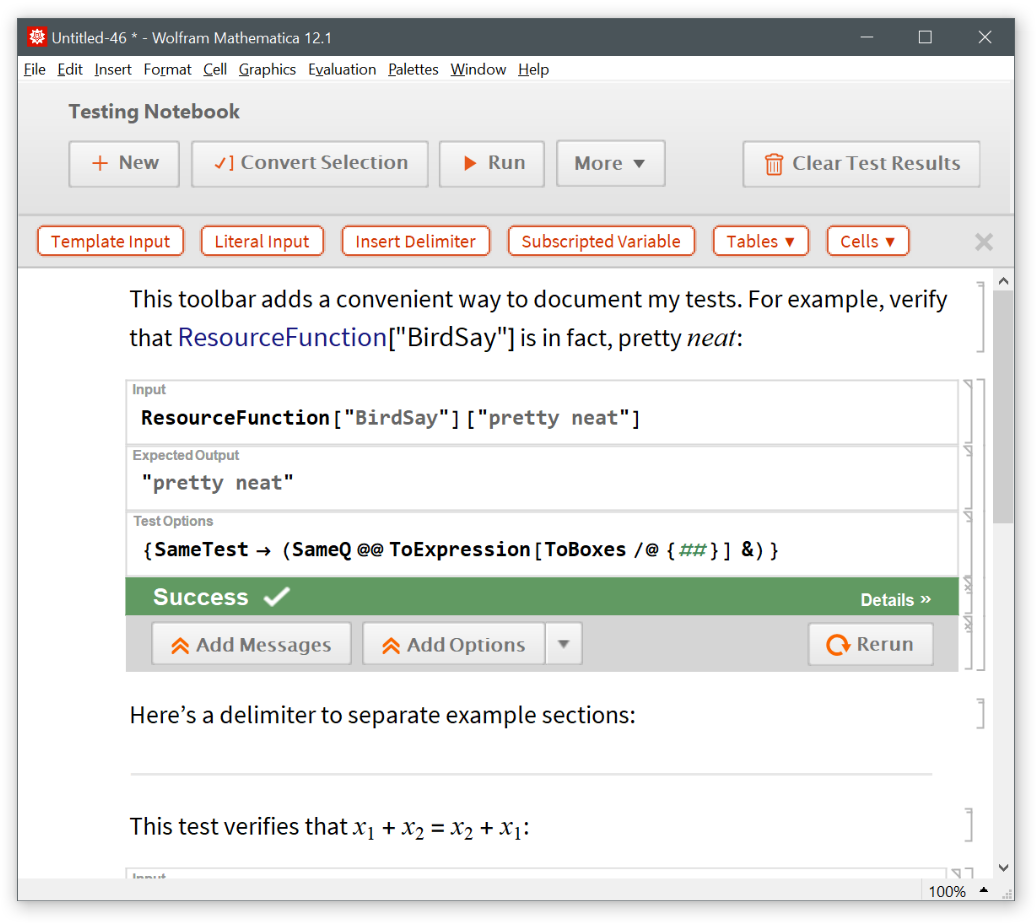
If the notebook already has docked cells, AddDocumentationTools appends the toolbar after the existing cells:
| In[4]:= |
![nbo = CreateNotebook["Testing"]](https://www.wolframcloud.com/obj/resourcesystem/images/638/638eb97f-2e99-4e85-aba1-5131e282c447/0faae48fde135eef.png)
|
| Out[4]= |

|
| In[5]:= |
![ResourceFunction["AddDocumentationTools"][nbo]](https://www.wolframcloud.com/obj/resourcesystem/images/638/638eb97f-2e99-4e85-aba1-5131e282c447/69cef0c7e268412f.png)
|
| In[6]:= |
![NotebookClose[nbo]](https://www.wolframcloud.com/obj/resourcesystem/images/638/638eb97f-2e99-4e85-aba1-5131e282c447/3245b0b9afc3ffc8.png)
|
By default, the stylesheet of the given notebook is modified in order to display some formatted items correctly:
| In[7]:= |
![(* Evaluate this cell to get the example input *) CloudGet["https://www.wolframcloud.com/obj/fb838f71-c55c-4fce-8cd1-d63fe8d36935"]](https://www.wolframcloud.com/obj/resourcesystem/images/638/638eb97f-2e99-4e85-aba1-5131e282c447/00becca8f747b933.png)
|
| Out[7]= |

|
| In[8]:= |
![ResourceFunction["AddDocumentationTools"][nbo]](https://www.wolframcloud.com/obj/resourcesystem/images/638/638eb97f-2e99-4e85-aba1-5131e282c447/782dde9af5b80253.png)
|

| In[9]:= |
![NotebookClose[nbo]](https://www.wolframcloud.com/obj/resourcesystem/images/638/638eb97f-2e99-4e85-aba1-5131e282c447/605fa179f90daa2b.png)
|
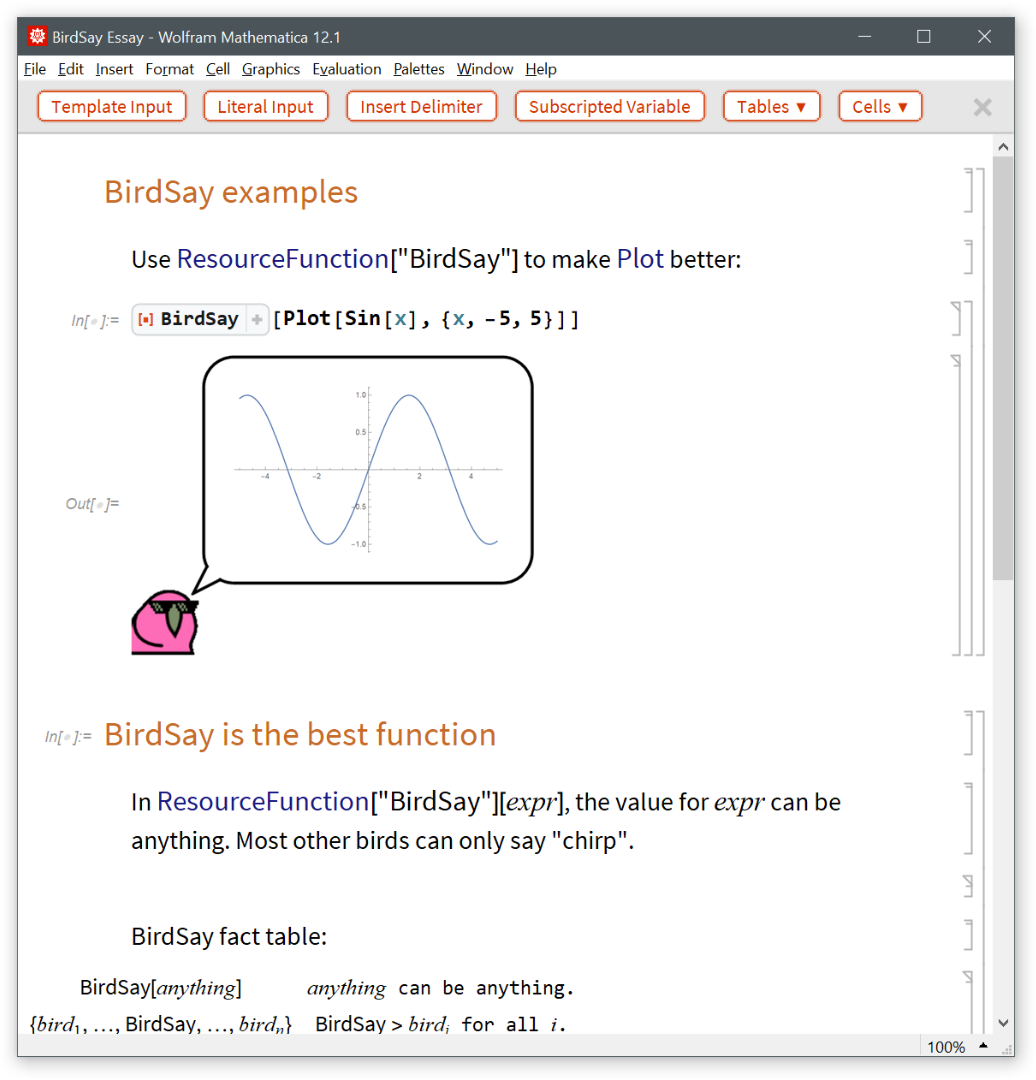
Use "SetStyleDefinitions"→False to preserve the original stylesheet:
| In[10]:= |
![(* Evaluate this cell to get the example input *) CloudGet["https://www.wolframcloud.com/obj/820bb033-8f99-4edb-953c-c99fe41f4bca"]](https://www.wolframcloud.com/obj/resourcesystem/images/638/638eb97f-2e99-4e85-aba1-5131e282c447/7821ede37a1ef840.png)
|
| Out[10]= |

|
| In[11]:= |
![ResourceFunction["AddDocumentationTools"][nbo, "SetStyleDefinitions" -> False]](https://www.wolframcloud.com/obj/resourcesystem/images/638/638eb97f-2e99-4e85-aba1-5131e282c447/7fe5e4321112f951.png)
|
Note that some items will be missing style definitions (such as delimiters, tables, etc.):
| In[12]:= |
![NotebookClose[nbo]](https://www.wolframcloud.com/obj/resourcesystem/images/638/638eb97f-2e99-4e85-aba1-5131e282c447/58197f3d9a80b97f.png)
|
This work is licensed under a Creative Commons Attribution 4.0 International License