Wolfram Function Repository
Instant-use add-on functions for the Wolfram Language
Function Repository Resource:
Find the midpoint between two geolocations
ResourceFunction["GeoMidpoint"][loc1,loc2,pathtype] computes the GeoPosition of halfway between loc1 and loc2 based on the given pathtype. | |
ResourceFunction["GeoMidpoint"][loc1,loc2] uses a "Geodesic" path. |
| "Geodesic" | geodesic path between points |
| "Rhumb","RhumbLine","Loxodrome" | path of constant bearing between points |
| "GreatEllipse","GreatCircle" | path on a plane through Earth's center |
Find the point between the Eiffel Tower and the Empire State Building:
| In[1]:= | ![ResourceFunction["GeoMidpoint"][
Entity["Building", "EiffelTower::5h9w8"], Entity["Building", "EmpireStateBuilding::h583b"]]](https://www.wolframcloud.com/obj/resourcesystem/images/95a/95a0beea-b0b0-44a4-b40c-32d91a8e0137/7663ff22bbac085c.png) |
| Out[1]= |  |
Find half way to Null Island along a rhumb line:
| In[2]:= | ![ResourceFunction["GeoMidpoint"][Here, GeoPosition[{0, 0}], "Rhumb"]](https://www.wolframcloud.com/obj/resourcesystem/images/95a/95a0beea-b0b0-44a4-b40c-32d91a8e0137/041fa174c9532703.png) |
| Out[2]= |  |
Create a map with a midpoint:
| In[3]:= | ![start = Entity["City", {"NewYork", "NewYork", "UnitedStates"}];
end = Entity["City", {"LosAngeles", "California", "UnitedStates"}];
GeoGraphics[
GeoMarker /@ {start, ResourceFunction["GeoMidpoint"][start, end, "Rhumb"], end}]](https://www.wolframcloud.com/obj/resourcesystem/images/95a/95a0beea-b0b0-44a4-b40c-32d91a8e0137/3f209be987648ae7.png) |
| Out[5]= | 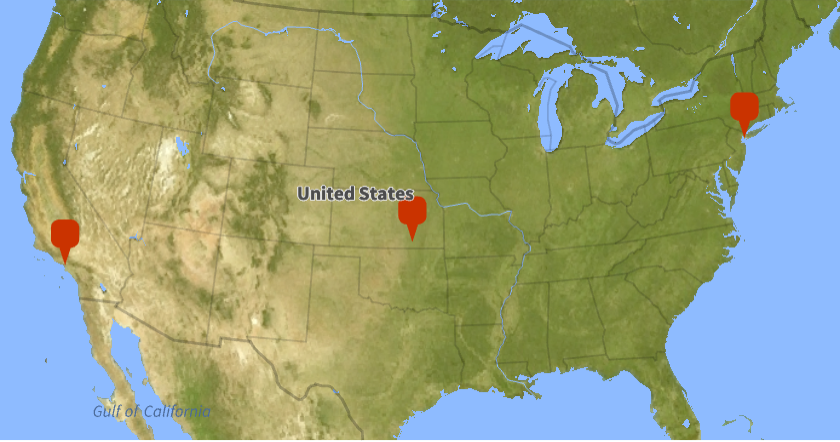 |
Find midpoints using multiple methods:
| In[6]:= | ![start = Entity["City", {"SaintLouis", "Missouri", "UnitedStates"}];
end = Entity["City", {"RioDeJaneiro", "RioDeJaneiro", "Brazil"}];
midpoints = Table[ ResourceFunction["GeoMidpoint"][start, end, type], {type, {"Rhumb", "Geodesic", "GreatEllipse"}}]](https://www.wolframcloud.com/obj/resourcesystem/images/95a/95a0beea-b0b0-44a4-b40c-32d91a8e0137/26b5b67f0ca2e706.png) |
| Out[8]= |  |
See them on the a map with and without the endpoints:
| In[9]:= | ![Row[{GeoListPlot[Flatten@{start, midpoints, end}], GeoListPlot[midpoints, GeoRange -> Quantity[80, "Kilometers"]]}]](https://www.wolframcloud.com/obj/resourcesystem/images/95a/95a0beea-b0b0-44a4-b40c-32d91a8e0137/12a5349a02b50771.png) |
| Out[9]= | 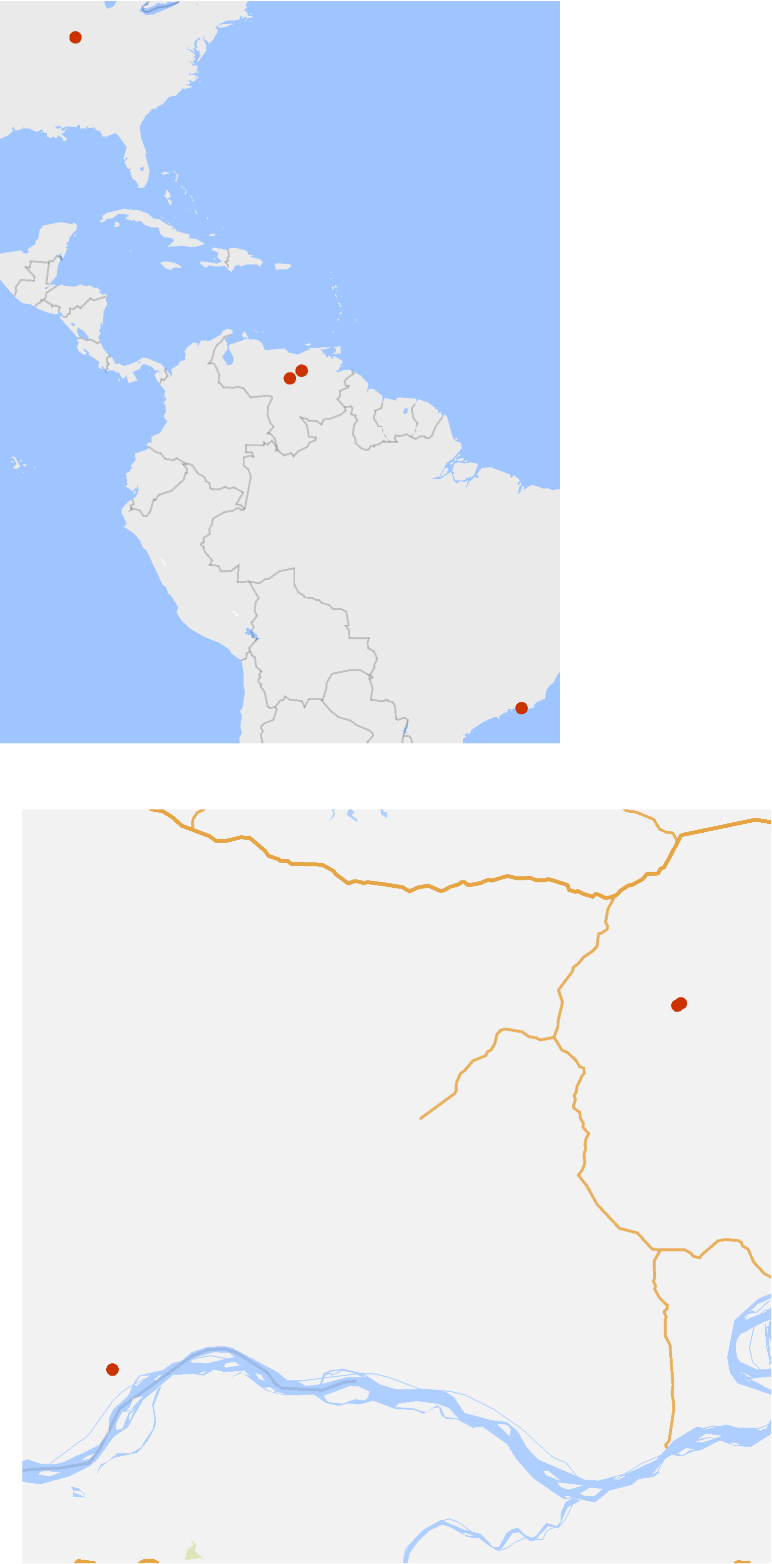 |
Compute a midpoint:
| In[10]:= | ![start = Entity["City", {"SaintLouis", "Missouri", "UnitedStates"}];
end = Entity["City", {"RioDeJaneiro", "RioDeJaneiro", "Brazil"}];
midpoint = ResourceFunction["GeoMidpoint"][start, end]](https://www.wolframcloud.com/obj/resourcesystem/images/95a/95a0beea-b0b0-44a4-b40c-32d91a8e0137/76521592121308f3.png) |
| Out[12]= |  |
Show it along with geodisks of equal size:
| In[13]:= | ![GeoListPlot[{GeoDisk[start, GeoDistance[start, end]/2],
GeoDisk[end, GeoDistance[start, end]/2], midpoint, start, end}]](https://www.wolframcloud.com/obj/resourcesystem/images/95a/95a0beea-b0b0-44a4-b40c-32d91a8e0137/6b2c616fa4efed5c.png) |
| Out[13]= | 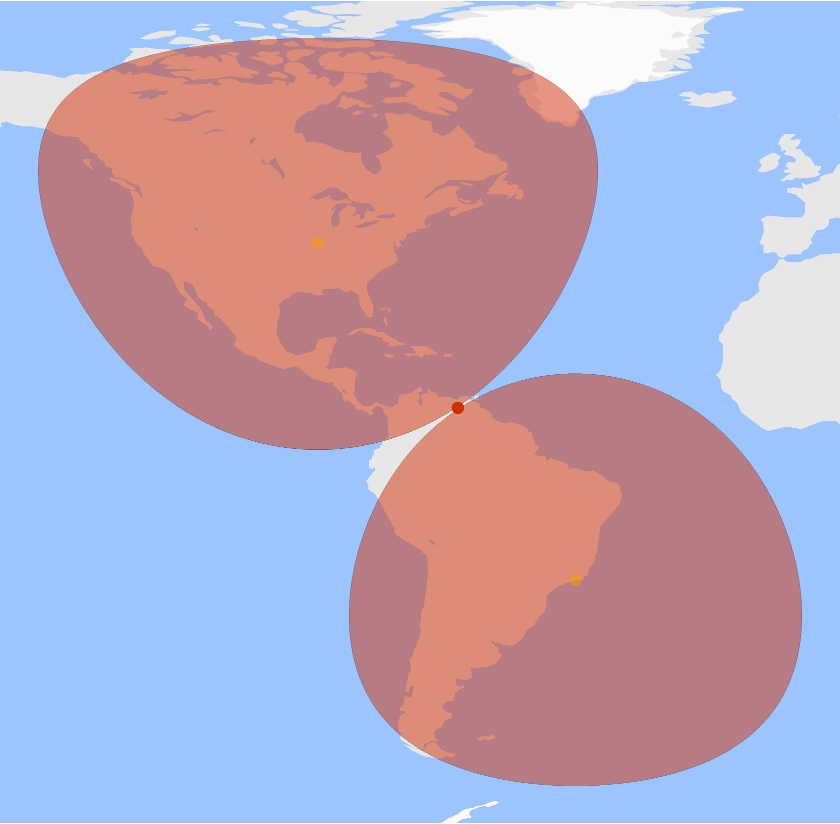 |
GeoMidpoint may print messages when one or both geolocations are extended, as for a large city:
| In[14]:= | ![ResourceFunction["GeoMidpoint"][
Entity["City", {"NewYork", "NewYork", "UnitedStates"}], Entity["City", {"LosAngeles", "California", "UnitedStates"}], "Rhumb"]](https://www.wolframcloud.com/obj/resourcesystem/images/95a/95a0beea-b0b0-44a4-b40c-32d91a8e0137/2559704b94a74808.png) |
| Out[14]= |  |
This work is licensed under a Creative Commons Attribution 4.0 International License


