Wolfram Function Repository
Instant-use add-on functions for the Wolfram Language
Function Repository Resource:
Create a drag-and-drop interface for organizing presentation notebooks
ResourceFunction["OpenSlideSorter"][] creates a drag-and-drop interface for organizing slides in the currently selected presentation notebook. | |
ResourceFunction["OpenSlideSorter"][nb] creates a slide sorter interface for presentation notebook nb. |
Create a simple presenter notebook:
| In[1]:= | ![nb = NotebookPut[Notebook[{
Cell["", "SlideShowNavigationBar", "FirstSlide", CellTags -> "SlideShowHeader"], Cell["Presentation title", "Title"],
Cell["Presentation Subtitle", "Subtitle"], Cell["", "SlideShowNavigationBar", CellTags -> "SlideShowHeader"],
Cell["First page", "Section"],
Cell["OpenSlideSorter is great", "Epigraph"]
},
ScreenStyleEnvironment -> "Slideshow Working", StyleDefinitions -> FrontEnd`FileName[{"PresenterTools"}, "Default.nb"], "Theme" -> "Default"]]](https://www.wolframcloud.com/obj/resourcesystem/images/fa1/fa1c42fc-37c3-4cb2-9e7e-4e46f1b9528e/0ab3ae9c7ac44e97.png) |
| Out[1]= |  |
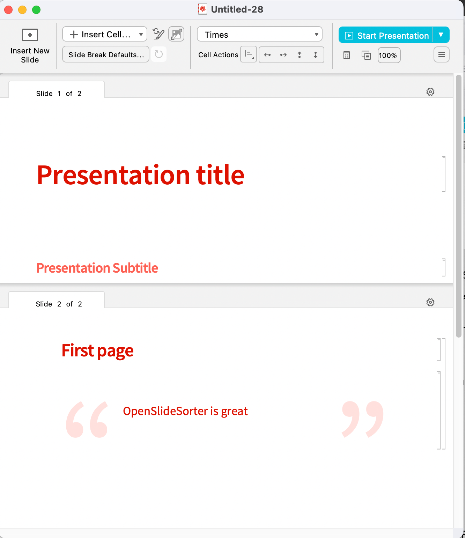
| In[2]:= | ![ResourceFunction["OpenSlideSorter"][nb]](https://www.wolframcloud.com/obj/resourcesystem/images/fa1/fa1c42fc-37c3-4cb2-9e7e-4e46f1b9528e/1134d9d193a28ecd.png) |
| Out[2]= |  |
Creates the following user interface:
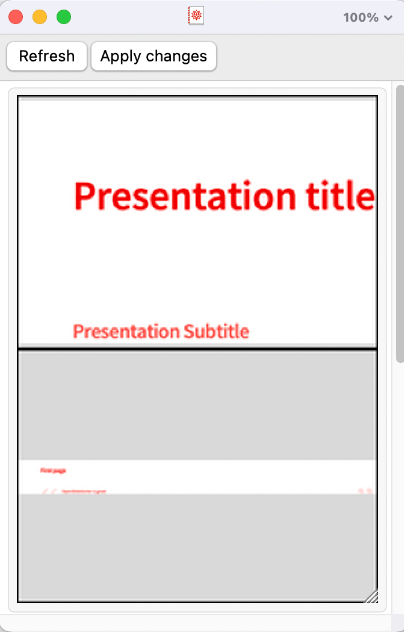
Which allows you to drag-and-drop the slides into a new order:
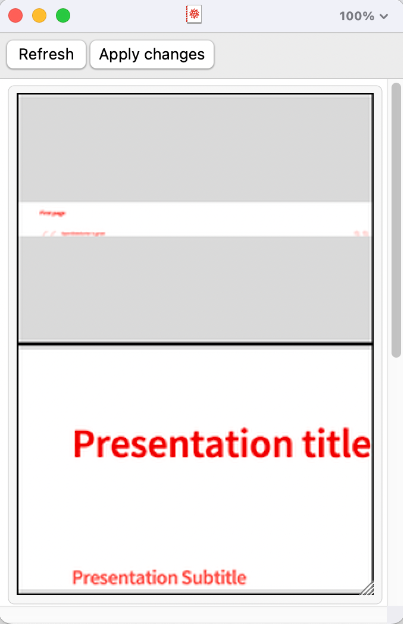
When you are happy with the order, click "Apply changes" to transform the presentation into the new order:
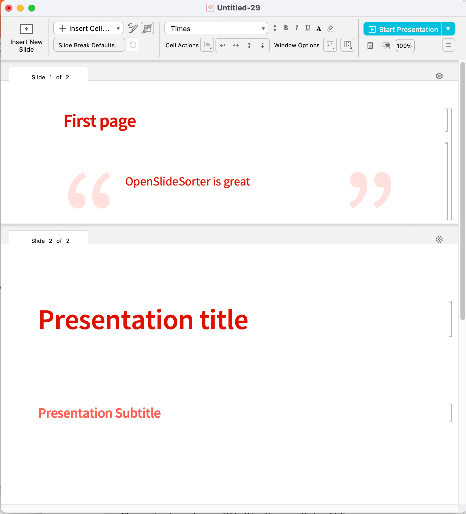
If you make changes to the original notebook, click "Refresh" to update the drag-and-drop view.
This work is licensed under a Creative Commons Attribution 4.0 International License